Logo bulkpriceeditors

Shopify Automatic Discount, Discount Codes or Sale Prices: Which to Use (2026)

Shopify automatic discounts, discount codes or sale prices with compare-at: where each shows, how they stack, how to stop codes on sale items. Nov 2026.

Updated November 27, 2026 · by Ivan Ivanov

Some links on this page are affiliate links. App facts are checked against each vendor’s own listing and docs.

Quick answer

A Shopify automatic discount applies in the cart and checkout once the cart qualifies; a discount code applies only when typed; a sale price lowers the product’s price itself, with compare-at shown crossed out on every page.

  • Shopify allows up to 25 active automatic discounts, app-based ones included.
  • A customer can use up to 5 product or order codes and 1 shipping code per order.
  • Codes still apply on top of sale prices, because a sale price is simply the price. Combination settings can’t stop that.
  • To stop stacking, block codes on carts with sale items (an app feature) or limit codes to full-price collections.

Top pick for sale prices without code stacking: Platmart Bulk Price Editor (real prices with compare-at that restore at the end time, code blocking on every plan; free plan, paid from $14.99/mo, as of Nov 2026).

See Platmart Bulk Price Editor →

For buy X get Y, spend thresholds or free shipping, Shopify’s built-in automatic discounts fit better, and NA Bulk Price Editor also blocks codes on its price jobs.

Three ways to discount on Shopify

Shopify gives you three tools: a sale price on the product, a discount code typed at checkout, and an automatic discount that applies when the cart qualifies.

MethodWhere the lower price showsStrikethrough on product pagesWho gets itTypical use
Automatic discountCart and checkoutNo (product price unchanged)Every cart that meets the conditionsBuy X get Y, spend thresholds, free shipping
Discount codeCart and checkout, after the code is enteredNoOnly shoppers with the codeEmail lists, influencers, one-off offers
Sale price (Price + Compare-at)Everywhere the price shows: collections, product pages, cart, checkoutYes, when compare-at is higher than priceEvery shopperPublic sales: sitewide, collection, Black Friday

Sources: Shopify help on sale pricing, automatic discounts and discount combinations, Nov 27, 2026.

What this means: only the sale price changes what shoppers see while browsing. Shopify’s help says automatic discounts are “automatically applied in the cart and at checkout when eligibility conditions are met,” so the product page keeps the regular price.

How Shopify automatic discounts work

A Shopify automatic discount is a discount with no code: once a cart meets its conditions, Shopify applies it in the cart and at checkout.

  1. In Shopify admin, go to Discounts and create a discount.
  2. Pick the type: amount off products, amount off order, buy X get Y, or free shipping.
  3. Choose Automatic discount as the method instead of a discount code.
  4. Set the value, eligible products or collections, any minimum, combination settings and active dates.
  5. Save, then test with a cart that qualifies and one that doesn’t.

Limits to know (Shopify help, Nov 2026):

  • Up to 25 active automatic discounts per store, including app-based discounts.
  • Automatic discounts created in admin don’t apply on the post-purchase page.
  • When an app changes cart line prices through functions (a bundles app, for example), automatic discounts are calculated from the changed prices.
  • Discount combinations work on the Online Store, Storefront API and Shopify POS, not on external checkouts such as Facebook, Instagram or Google.

How discounts combine (and why codes stack on sale prices)

Shopify discounts combine only when each discount’s combination settings allow it; a sale price isn’t a discount at all, so it always “combines.”

Shopify sorts discounts into three classes: product, order and shipping. Product discounts apply first, then order discounts on the new subtotal, then shipping. Per Shopify’s help, multiple product discounts on one line item need Shopify Plus. If discounts can’t combine, the best one for the cart applies, and a shopper entering a non-combinable code sees “Discount couldn’t be used with your existing discounts.”

None of that touches sale prices. When you lower Price and set Compare-at, the product simply costs less, and a 20% code takes 20% off the lowered price. There’s no second discount for the settings to compare against. That’s how 30% off sitewide plus a 15% welcome code can land well below the margin you planned.

Discount codes on sale items: how to stop stacking

To stop discount codes on sale items, either block codes when the cart holds sale items, or limit each code to products that aren’t on sale.

Option 1: block codes with Shopify alone. In Shopify’s Discounts, an amount-off-products code can apply to specific collections. Point the code at a full-price collection and leave sale items out. It costs nothing, but every new sale means checking which collections each code covers.

Option 2: block codes with a sale app. Some apps that set sale prices can also refuse codes on carts with sale items. Per their own docs and listings (Nov 2026):

  • NA Bulk Price Editor blocks codes on carts with items from a price change job, through an app automatic discount, and lifts the block on revert. See the NA Bulk Price Editor review.
  • GetSale Bulk Discounts & Sales lists “Block discount codes” on its Unlimited plan ($29.99/mo).
  • Platmart Bulk Price Editor has “Block discount codes when the cart has items from this sale” on every plan, Free included (added Nov 4, 2026).

The steps, with Platmart as the worked example

In Platmart Bulk Price Editor, for example, the setup per its docs is:

  1. Sales > Create sale: set the discount and compare-at (“Set to old price (discount)”).
  2. In the Discount codes card, turn on “Block discount codes when the cart has items from this sale.”
  3. Set the schedule, click Preview changes, then Start sale or Schedule sale.

What the docs say about the block:

  • It must be set before the sale starts.
  • It blocks every code type on the whole cart, not just the sale line.
  • Automatic discounts still work.
  • It uses one app automatic discount, which counts toward Shopify’s 25.
  • It works on product and market sales, not on tasks. It isn’t confirmed for draft orders, POS, B2B or express checkouts.
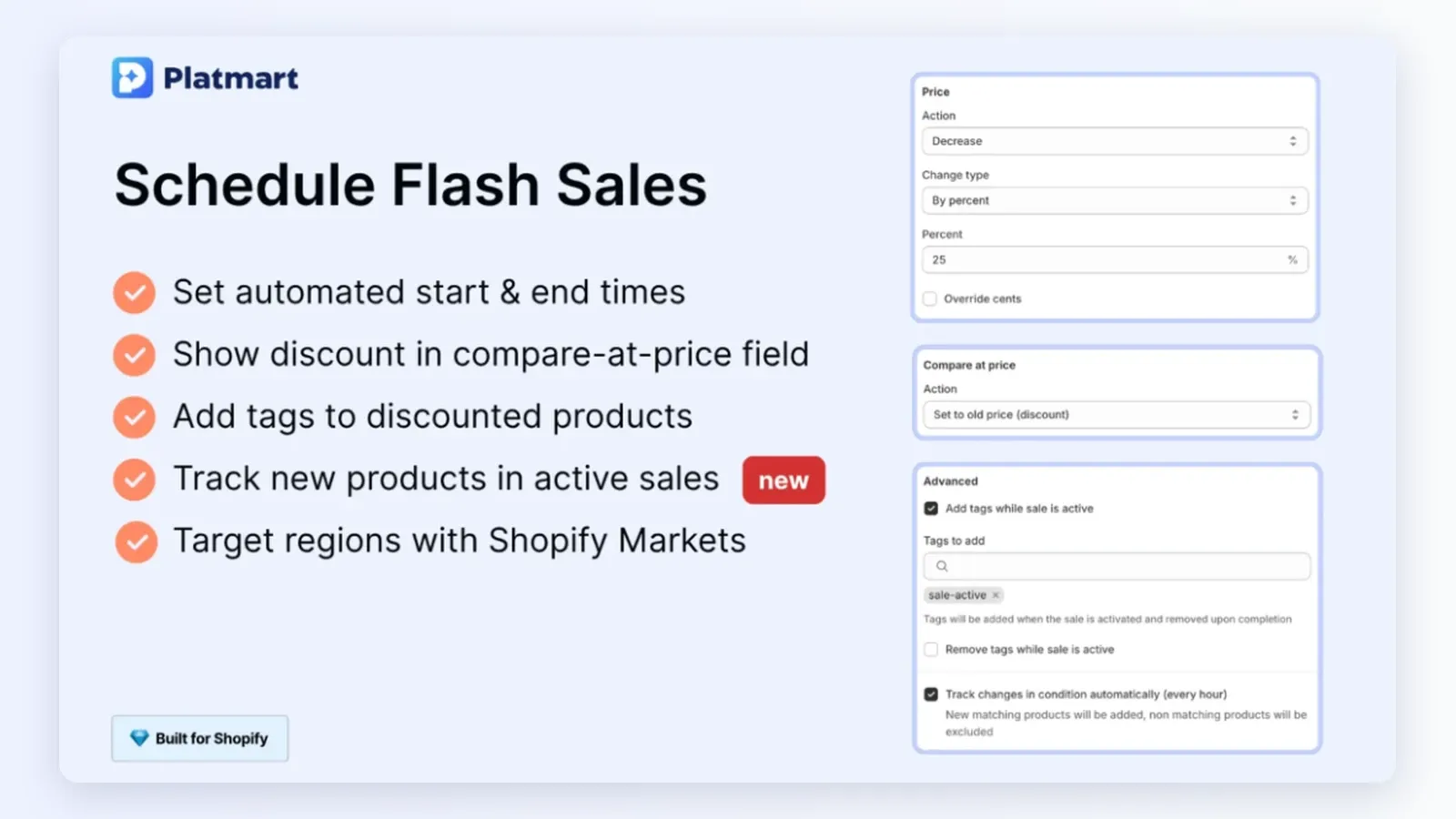
V3 platmart ui schedule sale

Platmart Bulk Price Editor sale form, from its Shopify App Store gallery, Nov 2026

NA’s block also covers the whole cart (developer FAQ), so with either app a full-price item next to a sale item can’t take a code. The Shopify sale app comparison lists which other apps block codes.

What the cart and checkout show

At checkout, a sale price shows as the item’s price, while discounts show as separate savings.

Shopify’s checkout shows the current price and doesn’t show the compare-at price, so the crossed-out price appears on your storefront pages, not at checkout. Automatic discounts and codes show as savings in the cart and at checkout. If your banner promises “30% off,” make sure product pages show it, because a cart-only discount won’t appear until the item is added. The storefront side is covered in Shopify compare at price.

Which one to use

For public sales, use sale prices; for cart offers, use automatic discounts; for targeted offers, use codes.

  • Sitewide or collection sale, Black Friday, clearance: sale price with compare-at, ideally scheduled so it starts and ends on time. Steps: Shopify sale and Shopify schedule sale.
  • Buy 2 get 1, spend $100 save $20, free shipping over a threshold: Shopify automatic discount.
  • Newsletter signup, influencer, win-back: discount code, blocked on sale carts if margins are thin.
  • Both at once: run the sale on real prices, keep automatic discounts for cart offers, and decide up front whether codes may stack. The Shopify Black Friday sale checklist walks through that decision.

Common mistakes

Most discount problems come from mixing methods without deciding how they interact.

  • Codes stacking on a deep sale. Combination settings don’t cover sale prices. Block codes, or restrict them to full-price collections.
  • Turning on a block too late. Some apps, Platmart among them, only accept it before the sale starts. The workaround is to disable the sale, duplicate it with the block on, and start the copy.
  • Expecting a strikethrough from an automatic discount. The product price doesn’t change, so pages show the regular price.
  • Hitting the 25 automatic discount limit. App-based discounts count too, including the ones code-blocking apps create.
  • Blocking more than intended. Whole-cart blocks stop codes on full-price items in the same cart.
  • Forgetting to end the sale. Shopify’s sale pricing has no end date, so hand-set prices stay until you change them back.

Tools that can do this

AppGood at for this jobEntry price (as of Nov 2026)Link
Discounty: Bulk Discount SalesMixed: sale prices with start/end dates plus BOGO, tiers and codes; code blocking not statedFree (10 live variants); Lite $9.90/moApp Store
GetSale Bulk Discounts & SalesSale prices that revert, timers and banners; "Block discount codes" on UnlimitedFree (75 variants); Unlimited $29.99/moApp Store
NA Bulk Price EditorPrice jobs with revert; blocks codes on the whole cart; MarketsFree (100 price changes/mo); Basic $9.95/moApp Store
Platmart Bulk Price EditorScheduled sales that restore prices; code blocking on every plan; previewFree (2 sales/mo, 100 products); Basic $14.99/moSee the app
App card na

Platmart

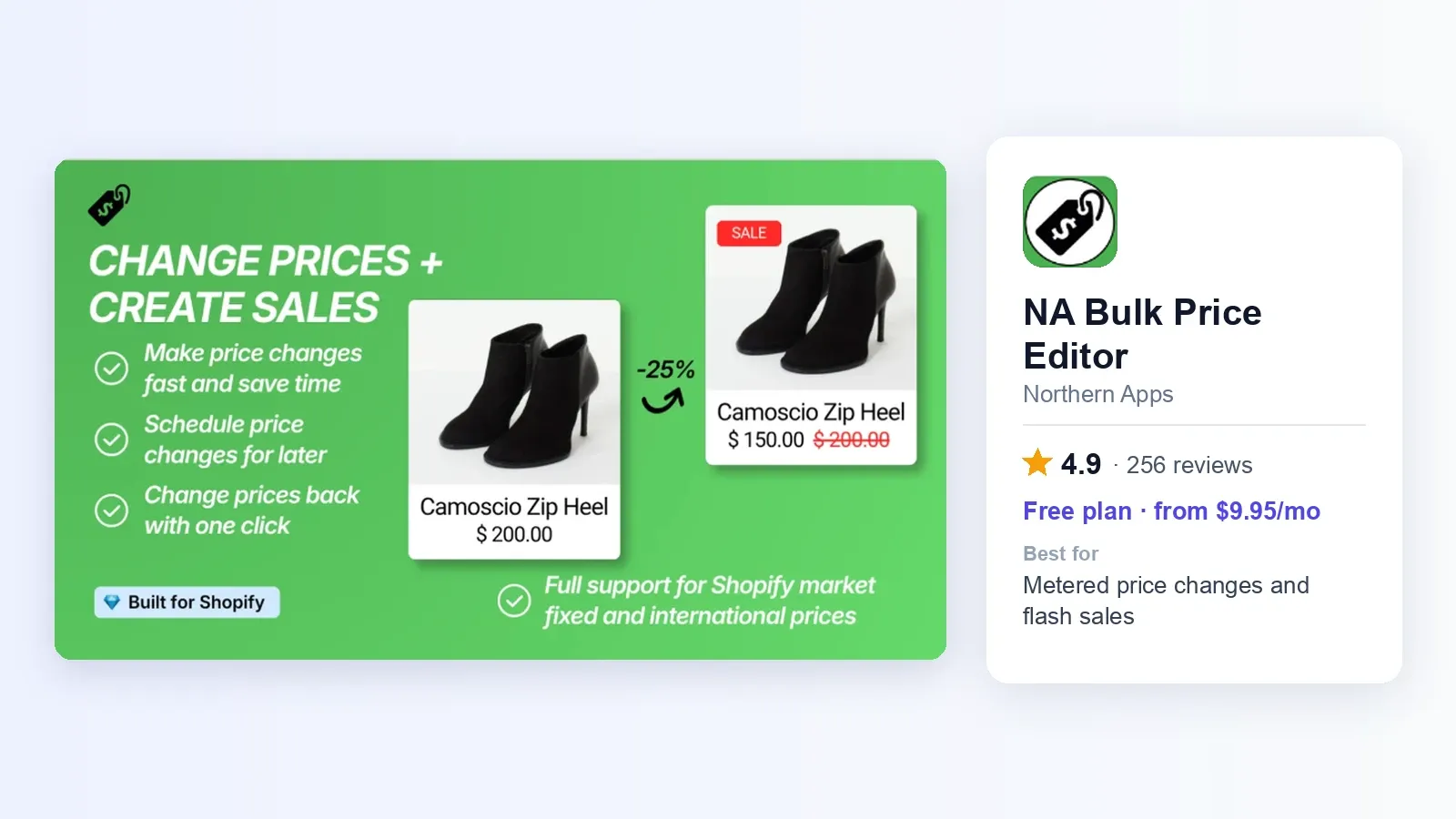
NA Bulk Price Editor app card with its rating and starting price

NA Bulk Price Editor: gallery image, rating and starting price from its Shopify App Store listing, Nov 2026.

More apps side by side: the Shopify bulk price editor comparison.

FAQ

  • What is a Shopify automatic discount?

    It’s a discount without a code that Shopify applies in the cart and at checkout once the cart meets its conditions. Types include amount off products or orders, buy X get Y and free shipping. A store can have up to 25 active automatic discounts, including ones created by apps, per Shopify’s help.

  • Can customers use discount codes on sale items?

    Yes, by default. A sale price is just the product’s current price, so a code takes its percentage off the lowered price. To stop it, limit codes to full-price collections, or use a sale app that blocks codes on carts with sale items; the tools table above lists which apps state this.

  • Do Shopify discount combinations stop codes on sale prices?

    No. Combination settings decide whether two discounts can apply together, such as an automatic discount and a code. A sale price isn’t a discount, so there’s nothing for the settings to compare. You need a code block on sale carts or codes limited to full-price collections.

  • Should I use a discount code or a sale price for Black Friday?

    Use a sale price with compare-at for the main offer, because shoppers see it on collection and product pages. Keep codes for targeted offers, and decide whether they may stack. See the Shopify Black Friday sale checklist for the full timeline.

  • Does an automatic discount show the old price crossed out?

    Not on product pages, because the product price doesn’t change; the saving shows in the cart and at checkout. A crossed-out price comes from a compare-at price higher than the price, set by hand, in Shopify’s bulk editor or with a sale app.

  • How many discount codes can a customer use on one order?

    Up to 5 product or order discount codes and 1 shipping discount code per order, according to Shopify’s discount combination help, and only if each code’s combination settings allow it. Otherwise the best single discount applies.

  • Do automatic discounts still work when an app blocks codes?

    With Platmart, yes: its docs say the block refuses every type of discount code on the cart, while automatic discounts keep working. The block uses one app automatic discount, which counts toward Shopify’s limit of 25. Check each app’s docs, since behavior varies.

  • Can I turn on code blocking after a sale starts?

    It depends on the app. Platmart requires it before the start. For a running sale there, disable it (prices restore), duplicate it, turn on the block in the copy, and start the copy. NA’s FAQ ties the block to the price change job and lifts it on revert.

  • Does blocking codes affect full-price items in the same cart?

    Yes, with NA and Platmart. Both block codes on the whole cart once it holds any item from the sale or price job, so a full-price item next to a sale item can’t take a code. If you want codes on full-price items in mixed carts, restrict codes to collections instead.

  • Why doesn't checkout show the compare-at price?

    Shopify’s checkout shows the item’s current price, so a sale price appears as the price without the crossed-out original. The strikethrough appears on storefront pages where your theme displays compare-at. Discounts appear as separate savings in the cart and at checkout.

  • Can I schedule an automatic discount?

    Yes, Shopify discounts have active dates. That schedules the cart discount, not the product price. To schedule real sale prices with a strikethrough that restore at the end, you need an app; steps are in Shopify schedule sale.

  • What's the difference between a Shopify discount app and a sale app?

    A discount app adds codes, automatic discounts, quantity breaks or BOGO offers in the cart. A sale app changes product prices and compare-at, then restores them. NA Bulk Price Editor and GetSale are sale apps; Discounty mixes both. Comparison: Shopify sale app.

Top pick for price-only jobs: Platmart Bulk Price Editor · free planTry Free

Ask AI about this page

II

Ivan Ivanov

Shopify pricing writer

I compare Shopify pricing apps using their own App Store listings, docs and changelogs. Every price and limit on this site carries the date it was checked.

Popup manager v2

Changing thousands of Shopify prices?

Our top pick for price-only jobs is Platmart Bulk Price Editor: scheduled sales that restore prices, compare-at strikethrough and rollback.

Free plan · paid from $14.99/mo (Nov 2026).

See all apps compared