Logo bulkpriceeditors

How to Raise Prices on Shopify by a Percentage or Fixed Amount

How to raise prices on Shopify by a percentage or fixed amount: whole store or collection, compare-at too, .99 rounding, preview, rollback and scheduling.

Updated November 27, 2026 · by Ivan Ivanov

Some links on this page are affiliate links. App facts are checked against each vendor’s own listing and docs.

Quick answer

To raise prices on Shopify, type new prices in the bulk editor or calculate them in a product CSV and import it. Shopify’s help pages mention no percent or fixed-amount increase, so “+10% on everything” means doing the math yourself or using an app.

  • +10% on $24.00 = $26.40; +$2 on $18.50 = $20.50.
  • Raise compare-at in the same edit, or a price above it loses the strikethrough.
  • Apps that apply a percent by rule start at $20/year (Bulk Price Editor Pro), and several have free plans for small edits.

Top pick for a percent raise with compare-at and rollback: Platmart Bulk Price Editor (percent or amount, compare-at and .99 rounding in one task, preview, rollback months later; free plan, paid from $14.99/mo, as of Nov 2026).

See Platmart Bulk Price Editor →

If your new prices already sit in a supplier spreadsheet, a CSV import or Matrixify fits better.

The built-in Shopify way

Shopify can save many new prices at once, but you work out each new price yourself.

  • Bulk editor: select products, open the Shopify bulk editor, add Price and Compare-at price from Columns, type each new price and click Save.
  • Product CSV: export (keep an untouched copy), multiply the Price column in a spreadsheet (× 1.10 for +10%) or add a fixed amount, then import with overwrite. Blank cells overwrite values with blanks.

Sources: Shopify bulk editing, CSV import. For lowering prices or setting exact ones, see how to change prices in bulk on Shopify. Spreadsheet tools are compared in Matrixify alternatives.

The faster way: a bulk price app

A bulk price app applies one rule, such as +8% or +$2, to a whole selection, and keeps a log so you can undo it.

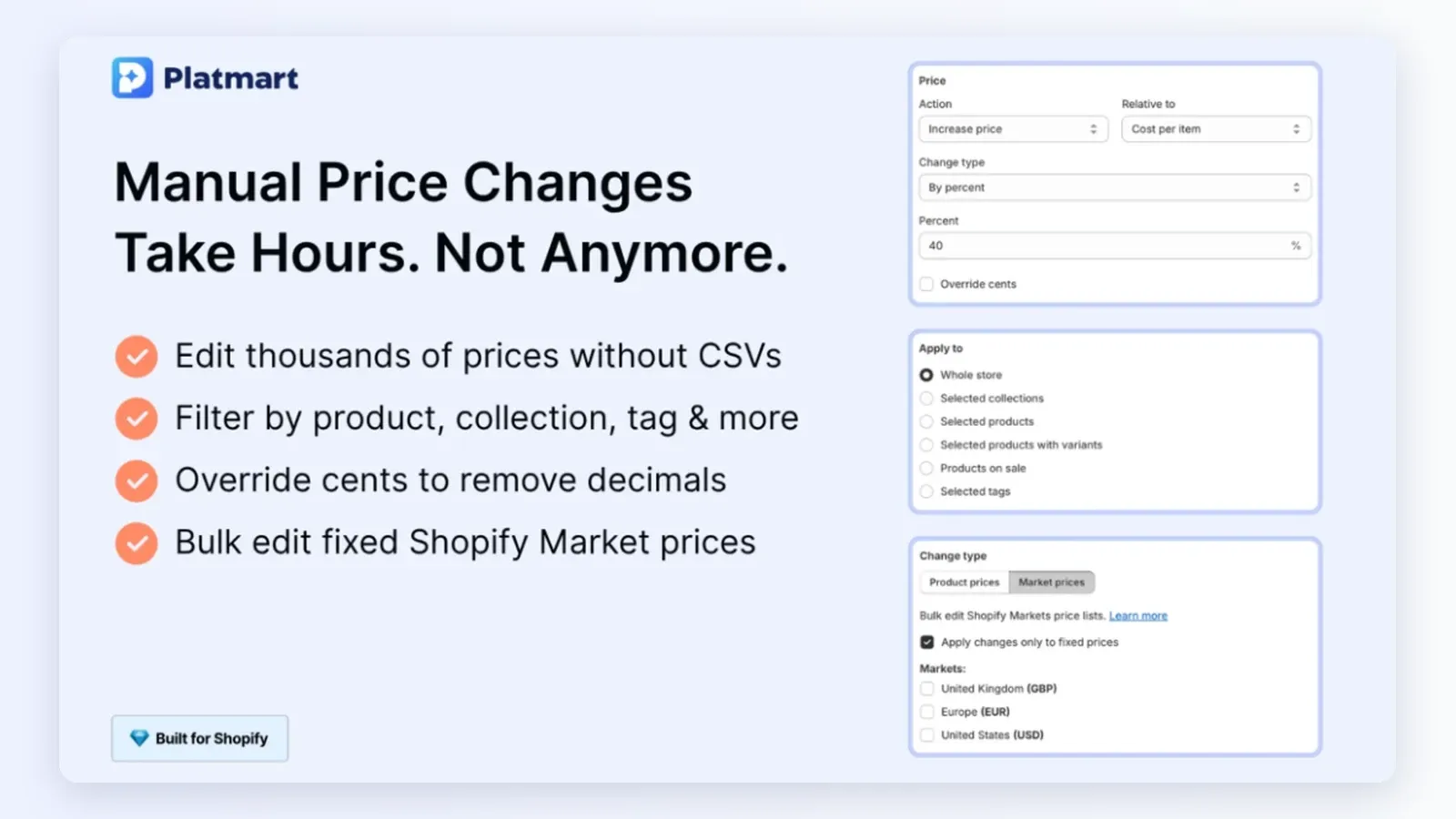
The generic flow: choose an increase by percent or amount, optionally raise compare-at and add rounding, pick products, preview, run. In Platmart Bulk Price Editor, for example, a task is a permanent bulk change, per its docs:

  1. Click Create task and keep Product prices.
  2. Under Price, choose Increase price, then percent or amount, and enter the figure.
  3. Optional: under Compare at price, choose Increase compare at price with the same figure, and add rounding such as Override cents 99.
  4. Under Apply to, choose Whole store, collections, products, variants or tags. Review Exclude.
  5. Optional (Advanced and up, or Free): in Schedule, choose Schedule for later.
  6. Click Preview changes, then Start task.
V3 platmart ui task markets

Platmart Bulk Price Editor task form, from its Shopify App Store gallery, Nov 2026

Platmart’s tasks handle up to 25,000 / 75,000 / 150,000 products on Basic / Advanced / Premium. Other apps list percent and amount changes too: Bulk Price Editor Pro (with rounding, rollback and CSV, from $20/year), NA Bulk Price Editor (billed by price changes per month), SA Bulk Product Editor & Price (with preview and one-click undo), and the all-field editors Hextom and Ablestar. Plans side by side: Shopify bulk price editor pricing.

Raise all prices by a percentage

A percentage increase multiplies each current price: new price = price × (1 + percent ÷ 100). These are plain arithmetic examples, not test results:

Current priceIncreaseNew priceRounded to .99
$24.00+10%$26.40$26.99
$27.00+7%$28.89$28.99
$49.99+5%$52.49$52.99
$120.00+12%$134.40$134.99

Each variant rises by the same percent, not the same dollars.

Add a fixed amount to prices

A fixed-amount increase adds the same dollars to every price: $18.50 + $2.00 = $20.50, and $95.00 + $2.00 = $97.00.

That’s 10.8% on the cheap item and 2.1% on the expensive one. In a spreadsheet, add the amount to the Price column; in an app, pick an increase by amount.

Raise compare-at prices together

Raise compare-at in the same edit, or the sale display can shrink or vanish. Take a price of $40.00 with compare-at $50.00 (20% off):

  • Both +10%: $44.00 and $55.00, still 20% off.
  • Price only +10%: $44.00 against $50.00, now 12% off.
  • Price only +30%: $52.00 against $50.00. Themes cross out only when compare-at is higher, so the strikethrough disappears.

Most bulk price apps edit compare-at alongside price; in Platmart, the action is Increase compare at price. More in Shopify compare at price.

Raise prices by collection, tag or vendor

Filter first, then raise: by collection, tag, vendor or type, depending on the tool.

In Shopify’s bulk editor, filter the product list before opening it. Apps differ: Bulk Price Editor Pro and NA list vendor and type filters; SA adds SKU, status and dates. Platmart’s Apply to covers Whole store, collections, products, variants, tags and Products on sale; for a vendor, its docs suggest a Shopify automated collection with that condition.

Round prices after a % change

A percent increase rarely lands on a clean ending, so add rounding to the same edit.

In a spreadsheet, use a formula like =ROUNDUP(A2,0)-0.01. In apps, Bulk Price Editor Pro, SA, Hextom, Ablestar and Platmart list rounding; Platmart’s modes include “Override cents” and “Set price ending” (patterns like *.99). Details in Shopify round prices.

Preview first, roll back if needed

Preview catches a wrong figure before it runs; rollback fixes one after.

SA and Ablestar preview old against new values; Platmart’s Preview changes does the same for 30 minutes. For undo, Bulk Price Editor Pro and Platmart state rollback any time (Platmart: while installed), while SA, Ablestar and Hextom keep history for 30 to 180 days by plan.

Don’t undo a raise with a reverse percent: $100 + 10% = $110, but $110 − 10% = $99. See how to undo a bulk edit on Shopify.

Schedule a permanent price increase

Shopify’s help pages mention no scheduling, so a built-in raise happens when you click Save.

Apps that schedule permanent changes include Bulk Price Editor Pro, NA, SA (Basic and up), Hextom (Professional and up), Ablestar and Platmart (Advanced and up, and Free; on Basic, tasks run right away). Platmart doesn’t support recurring schedules; Bulk Price Editor Pro (Pro plan), SA and Hextom do.

Common mistakes

  • Raising prices during a sale. A sale app’s end restores pre-sale prices over your edits. Raise prices after it ends (see Shopify sale).
  • Forgetting other markets. Fixed market prices need their own edit. See Shopify markets pricing and, for US import costs, Shopify de minimis.
  • Pricing from cost. That’s markup, not a percent raise: see Shopify markup.
  • Leaving out compare-at. Sale items lose their strikethrough.

Tools that can do this

AppGood at for this jobEntry price (as of Nov 2026)Link
Bulk Price Editor ProPercent or fixed markup with rounding, rollback, CSV; vendor and type filters$20/year (limited-time pricing); 5-day trialApp Store
NA Bulk Price EditorPercent or amount jobs with revert, compare-at, MarketsFree (100 price changes/mo); Basic $9.95/moApp Store
Platmart Bulk Price EditorPercent or amount with compare-at and .99 rounding in one task, preview, rollbackFree (1 task/mo, 100 products); Basic $14.99/moSee the app
SA Bulk Product Editor & PricePercent, amount or fixed value with preview and one-click undo; 50+ fieldsFree (100 products/task); Basic $9.90/moApp Store
App card pro

Platmart

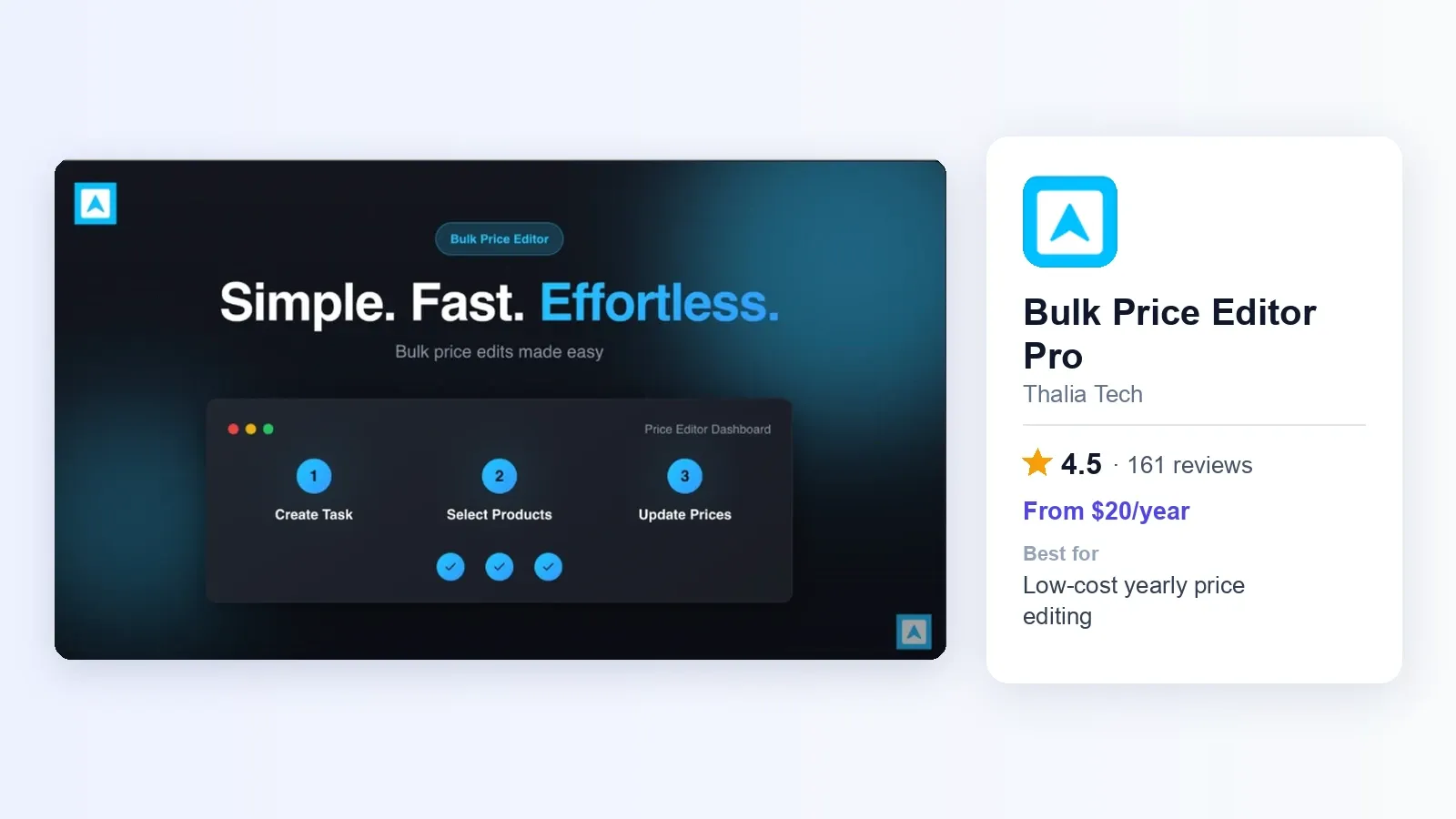
Bulk Price Editor Pro app card with its rating and starting price

Bulk Price Editor Pro: gallery image, rating and starting price from its Shopify App Store listing, Nov 2026.

All apps compared: Shopify bulk price editor.

FAQ

  • How do I raise prices on Shopify?

    Type new prices in Shopify’s bulk editor, or calculate them in a product CSV and import with overwrite. For a percent or fixed-amount raise across many products, a bulk price app does the math: you set one rule, pick a collection, tag or the whole store, preview and run.

  • Can I increase all prices by a percentage in Shopify?

    Not with the bulk editor alone, because Shopify’s help page mentions no percent changes. In a CSV, multiply the Price column (× 1.10 for +10%) and re-import. Apps such as Bulk Price Editor Pro, NA and SA apply a percent across the whole store; the tools table lists more.

  • How do I add a fixed amount to every price?

    Use an increase-by-amount action in an app, or a spreadsheet. In a CSV, add the amount to each price before importing. A fixed amount is a bigger percent on cheap items: $2 is 10.8% of $18.50 but 2.1% of $95.

  • Should I raise compare-at prices too?

    Yes, for products with a compare-at price. Themes cross out the old price only when compare-at is higher than price, so a raise above it removes the sale display. Raising compare-at by the same percent keeps the discount ratio.

  • Can I raise prices for one collection only?

    Yes. In Shopify’s bulk editor, filter the product list to the collection first. In apps, pick the collection or a tag as the target. For a vendor, Bulk Price Editor Pro and NA filter by vendor directly; other apps use a Shopify automated collection with a vendor condition.

  • Can I schedule a price increase for a future date?

    Not with Shopify’s built-in tools. Platmart’s tasks have Schedule for later on Advanced ($24.99/mo, as of Nov 2026) and up, and on Free within its limits; on Basic, they run right away. Bulk Price Editor Pro, NA, SA and Hextom also list scheduled changes.

  • How do I undo a price increase?

    Re-import your original CSV export if you used Shopify’s tools; their help pages mention no undo. In Platmart, Rollback restores price, compare-at and cost per item for any completed task while the app is installed. Avoid reversing by percent: +10% then −10% leaves $100 at $99.

  • Will prices in my other markets go up too?

    Only where a market follows your main price. Markets without fixed prices follow the main price, so they rise with it. Markets with fixed prices need their own edit, by CSV or with an app that edits market prices.

Top pick for price-only jobs: Platmart Bulk Price Editor · free planTry Free

Ask AI about this page

II

Ivan Ivanov

Shopify pricing writer

I compare Shopify pricing apps using their own App Store listings, docs and changelogs. Every price and limit on this site carries the date it was checked.

Popup manager v2

Changing thousands of Shopify prices?

Our top pick for price-only jobs is Platmart Bulk Price Editor: scheduled sales that restore prices, compare-at strikethrough and rollback.

Free plan · paid from $14.99/mo (Nov 2026).

See all apps compared