Logo bulkpriceeditors

Shopify Bulk Editor vs Apps: How to Bulk Edit Products and Where It Runs Out

How Shopify's bulk editor and CSV import edit prices and compare-at, what they can't do (no % changes, schedules or undo), and which apps fill the gaps.

Updated November 27, 2026 · by Ivan Ivanov

Some links on this page are affiliate links. Facts come from each tool’s own listing and docs.

Quick answer

Shopify’s free bulk editor changes price and compare-at in a grid, but its help pages mention no % changes, rounding, scheduling, auto-ending sales or undo. An app fills those gaps.

  • Bulk editor: $0, built in. No fixed item limit stated; larger edits take longer.
  • Product CSV: Price, Compare-at, Cost per item and market columns; blank cells overwrite values.
  • All-field editors: Hextom from $9.99/mo, Ablestar from $30/mo.
  • Price-only editors: NA from $9.95/mo, Platmart from $14.99/mo (as of Nov 2026).

Top pick for price-only jobs: Platmart Bulk Price Editor (scheduled sales that restore prices, compare-at, Markets, rollback; free plan, paid from $14.99/mo).

See the free plan →

For tags, SEO, inventory or metafields: Hextom or Ablestar edit those fields too.

What Shopify’s bulk editor can do

Shopify’s bulk editor is a spreadsheet-like grid in the admin where you change the same fields across many products and variants, then save once. According to Shopify’s bulk editing help page, price, SKU and compare-at price are typical columns, and you add or remove columns as needed.

It isn’t only for products: collections and customers can be bulk edited too. One exception: inventory for multi-variant products is bulk edited only from the Inventory section.

For a small store setting exact, permanent prices on a few dozen products, the built-in editor costs nothing and needs no install.

How to bulk edit prices and compare-at prices, step by step

You choose the price columns, type or copy values into cells, and save. Here’s the flow, based on Shopify’s help pages.

  1. Select the products. In Shopify admin, go to Products, filter the list (by collection or tag, for example), and select what you want to change.
  2. Open the bulk editor. Each product and variant appears as a row.
  3. Choose your columns. Add Price and Compare-at price from the Columns menu. Remove columns you don’t need.
  4. Edit the cells. Type new values, edit several selected cells at once, or drag the fill handle to copy one value down a column.
  5. Set compare-at for a sale. Put the original price in Compare-at price and the lower price in Price. A sale only shows when compare-at is higher than price, per Shopify’s sale pricing page.
  6. Save. Larger edits take longer.
  7. To end the sale later, move the old price back into Price and clear Compare-at price. Clear it: 0.00 isn’t the same as empty.

Two notes from Shopify’s help: Microsoft Edge can cause errors because of URL length limits, and every number you type is a fixed value (the editor doesn’t calculate “10% off”). The guide on how to change prices in bulk on Shopify walks through a full example, and shopify compare at price covers the strikethrough display.

The CSV route for bigger edits

For larger edits, Shopify recommends exporting a product CSV, changing prices in a spreadsheet and importing it back. According to Shopify’s CSV help page:

  1. Export your products to CSV from the Products page.
  2. Edit the price columns. The file has Price, Compare-at price and Cost per item, plus “Price / [Market]” and “Compare At Price / [Market]” columns. Spreadsheet formulas can do the math, such as a 10% cut.
  3. Import with overwrite. Products are matched by handle.
  4. Watch for blanks. Blank cells overwrite values with blanks; deleted columns keep current values, so a price-only file is safer.

Limits: market columns export only for markets with exactly one active catalog not shared with another market. Variant metafields aren’t supported in the product CSV. Fixed sale prices for international markets can be imported by CSV but can’t be created in the admin. For different sale prices per variant, see shopify bulk edit variants.

Where the built-in editor runs out

The built-in tools run out as soon as a price job needs math, timing or a way back. “Not stated” means Shopify’s help pages don’t mention it.

Price jobBuilt-in bulk editorProduct CSV import
Change prices by % or amountNot stated (type each value)Only with your own spreadsheet formulas
Round prices (e.g., .99)Not statedOnly with your own spreadsheet formulas
Schedule a change for a date and timeNot statedNot stated
End a sale and restore prices automaticallyNot statedNot stated
Undo a bulk changeNot statedNot stated (re-import an old file)
Preview new prices before savingNot statedNot stated
Market pricesNot stated✓ (markets with one unshared catalog)
Cost per itemNot stated on the bulk editing page✓ (Cost per item column)

Source: Shopify Help Center pages on bulk editing, sale pricing and CSV import, checked Nov 27, 2026.

What this means: The free routes are fine for permanent, exact edits. A weekend sale means two manual rounds on time with no rollback. Percentages, rounding, schedules, automatic restore and undo are the jobs bulk apps sell.

Built-in vs CSV vs apps

Apps add percentage changes, schedules that end on their own, previews and undo. Shopify’s two free routes come first as the baseline, then apps in alphabetical order.

ToolPrice (as of Nov 2026)% changeScheduled sale auto-restoresUndoPreviewRoundingMarketsNon-price fields
Shopify bulk editor$0Not statedNot statedNot statedNot statedNot statedNot stated✓
Shopify product CSV$0Partial (spreadsheet formulas)Not statedNot statedNot statedPartial (spreadsheet formulas)✓✓
Ablestar Bulk Product Editor$30–$120/mo; free Starter (10 products/edit)✓✓✓✓✓✓✓
Hextom: Bulk Product Edit$9.99–$49.99/mo; free Demo (10 products/task)✓✓ (Professional+)✓ (30–180-day backup)Partial (matched products)✓✓✓
Matrixify$20–$200 per 30 days; free Demo (10 items/file)Partial (spreadsheet formulas)Not stated (second scheduled import)Not stated (backup files)✓ (Dry Run)Not stated✓✓
Platmart Bulk Price Editor$14.99–$39.99/mo; Free (1 task + 2 sales/mo, 100 products)✓✓ (Basic+)✓ (Rollback)✓✓✓ (Advanced+)✗ (price, compare-at, cost)

Prices in USD as listed on the Shopify App Store, as of Nov 2026. ✓ = stated by the vendor; “Not stated” = not in the listing or docs.

What this means: Ablestar and Platmart state every price column. Ablestar also edits nearly every other field and starts at $30/mo; Platmart edits only prices and starts at $14.99/mo for 25,000 products per task. Hextom is the cheapest all-field editor ($9.99/mo) but caps tasks at 500 products on Basic and schedules only from Professional. Matrixify and Shopify CSV need spreadsheet formulas for percentages and state no automatic restore.
Ablestar Bulk Product Editor

V3 app card ablestar

Platmart

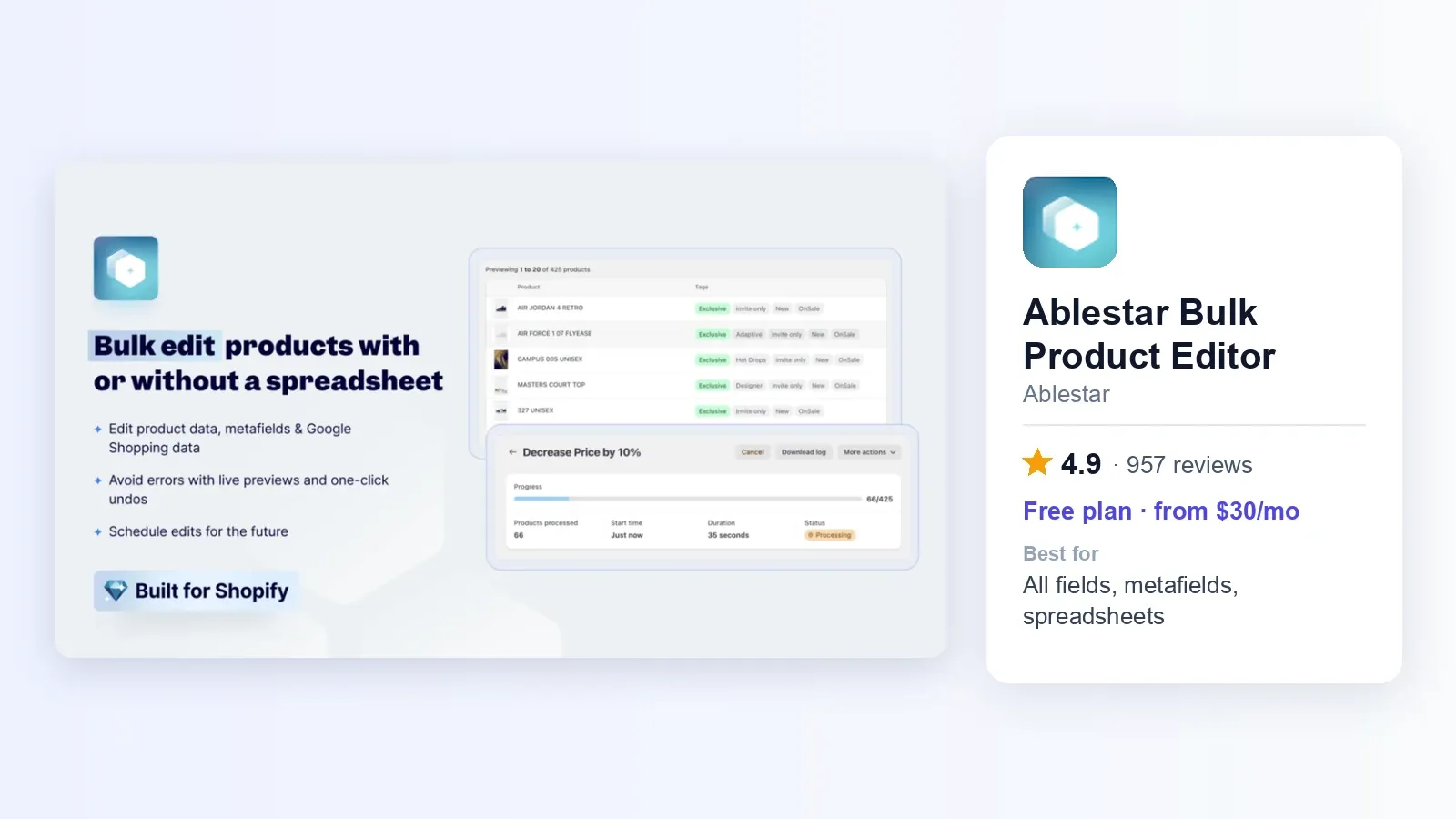
Ablestar Bulk Product Editor app card with rating and starting price

Ablestar Bulk Product Editor, from its Shopify App Store gallery, Nov 2026.

Ablestar edits nearly every product field. For prices, it lists preview of old vs new values, scheduled sales that auto-revert, one-click undo, Markets prices, cost-based pricing and rounding. It rates 4.9 from 957 reviews. Plans: Starter free (10 products per edit), Basic $30/mo, Advanced $60/mo, Professional $120/mo, as of Nov 2026, per its App Store listing. Full write-up: ablestar bulk product editor.

Hextom: Bulk Product Edit

App card hextom

Platmart

Hextom Bulk Product Edit app card with rating and starting price

Hextom: Bulk Product Edit, from its Shopify App Store gallery, Nov 2026.

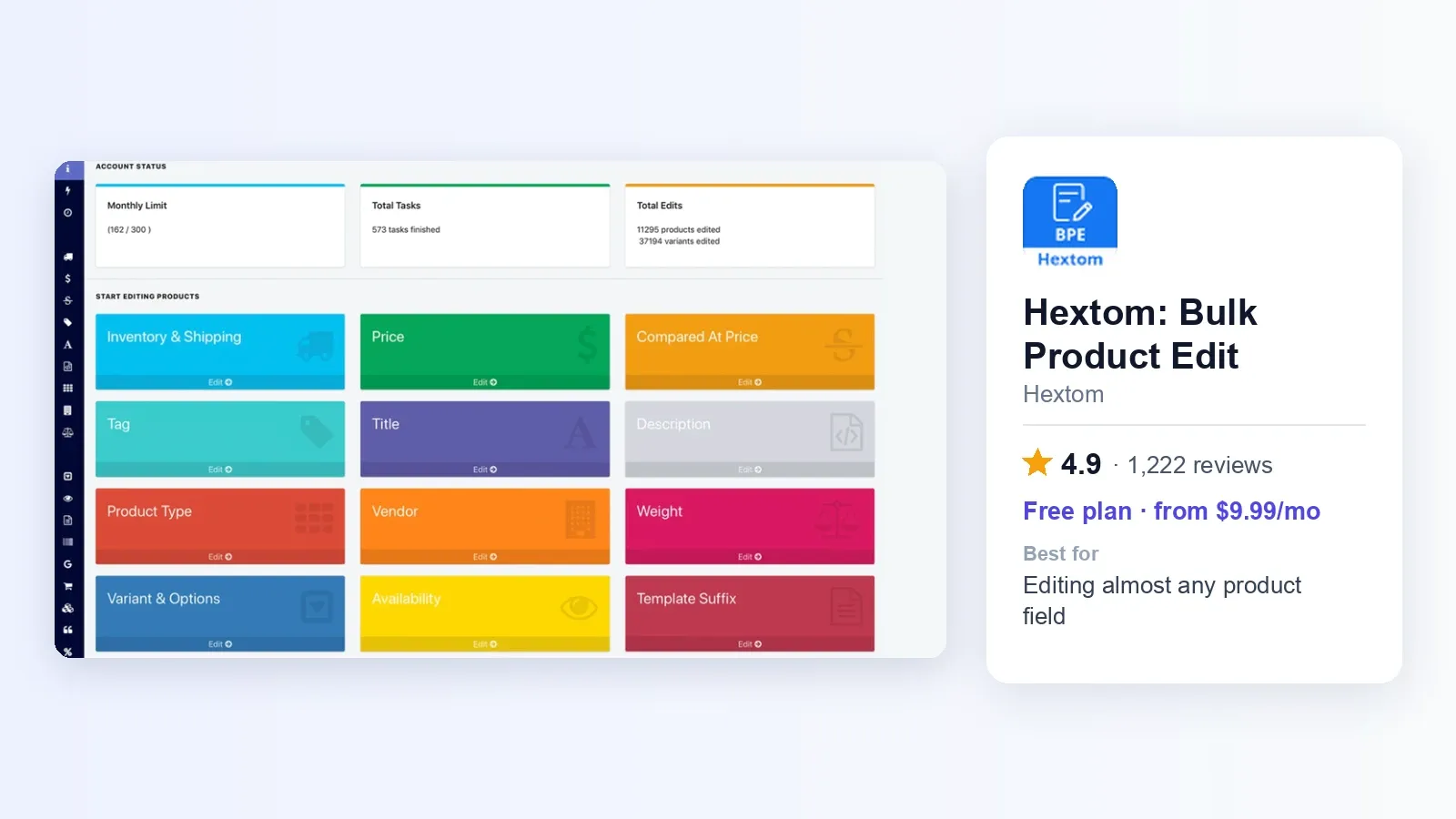
Hextom edits products, variants, collections, customers, orders and metafields by filters or file import, with backups for reverting. For prices, it lists percentage changes, rounding to .99, and region and B2B catalog prices. Scheduling, including auto-revert, starts on Professional. It rates 4.9 from 1,222 reviews. Plans: Demo free (10 products per task), Basic $9.99/mo (500), Professional $19.99/mo (5,000), Advanced $49.99/mo (50,000), as of Nov 2026, per its App Store listing. Full write-up: hextom bulk product edit; the two head to head: hextom vs ablestar.

Matrixify

V3 app card matrixify

Platmart

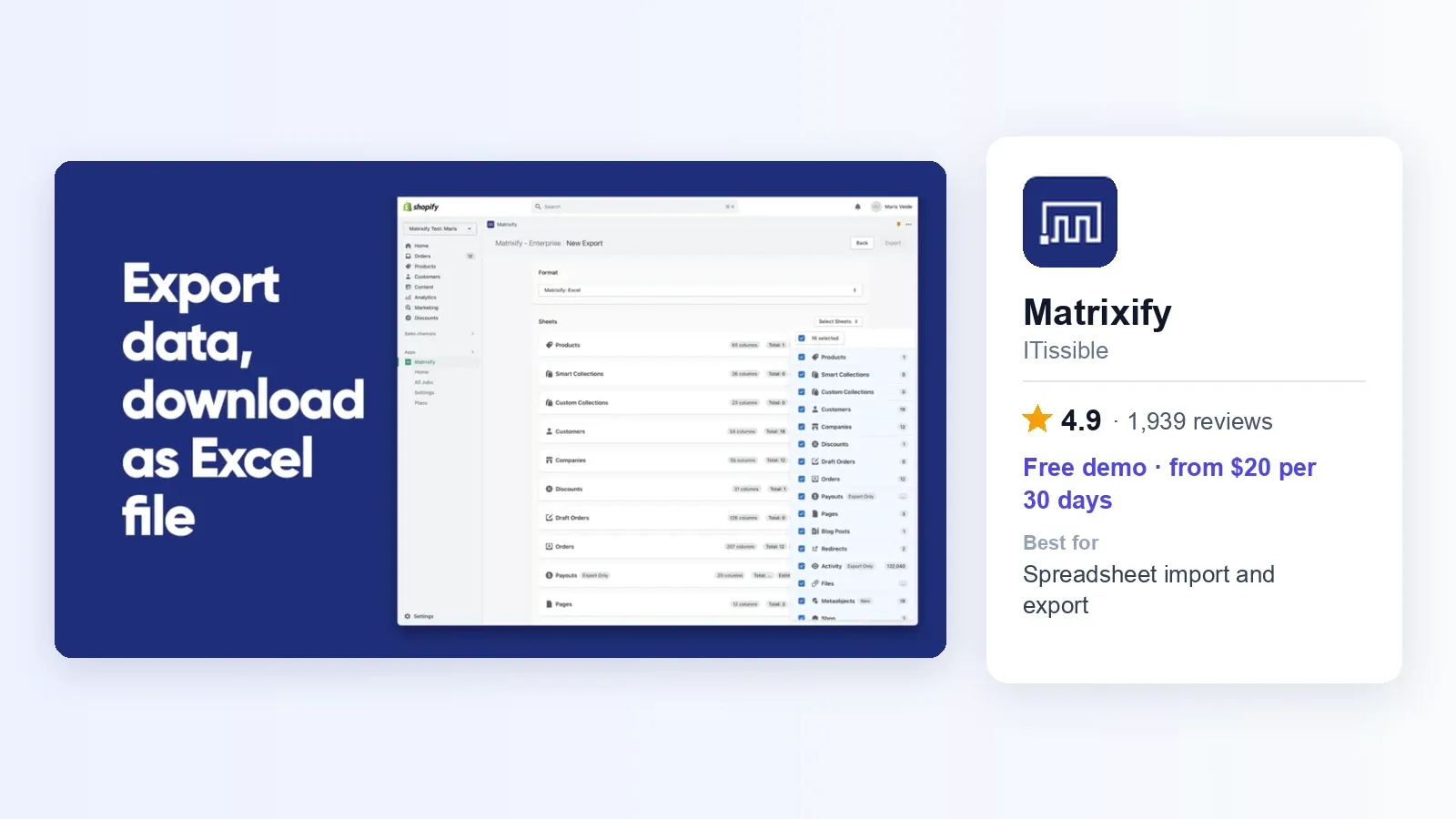
Matrixify Data Export Import app card with rating and starting price

Matrixify, from its Shopify App Store gallery, Nov 2026.

Matrixify is a file import/export tool. It covers Variant Price, Compare At Price, Cost and per-catalog price columns, runs scheduled and repeating imports, and offers a Dry Run to check a file first, per its documentation. Its scheduling tutorial ends a sale by scheduling a second import of the original prices. Plans: Demo free, Basic $20, Big $50, Enterprise $200, each per 30 days (as of Nov 2026). In-app options are compared in matrixify alternatives.

Platmart Bulk Price Editor

App card platmart

Platmart

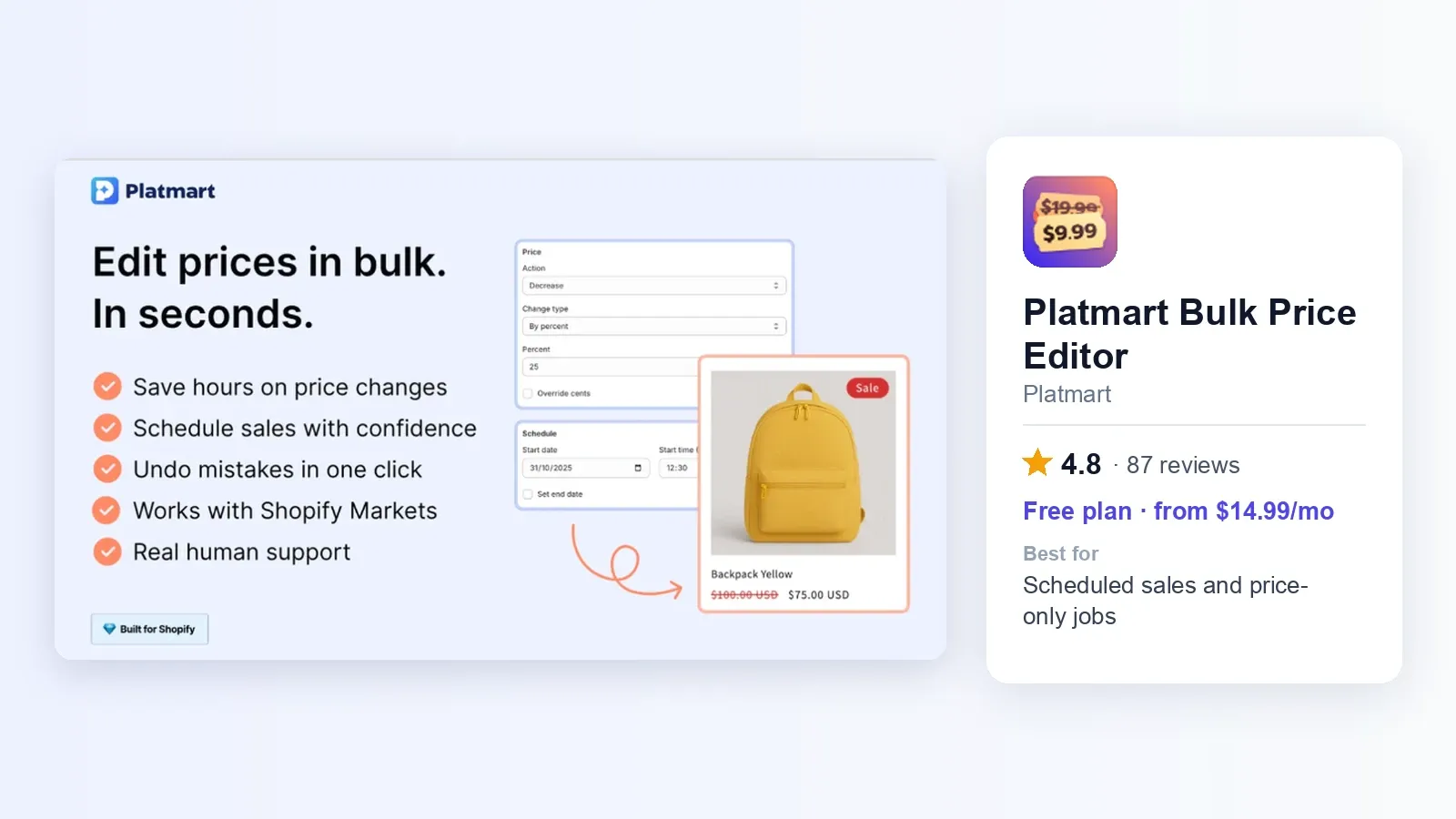
App card with rating and starting price

Platmart Bulk Price Editor, from its Shopify App Store gallery, Nov 2026.

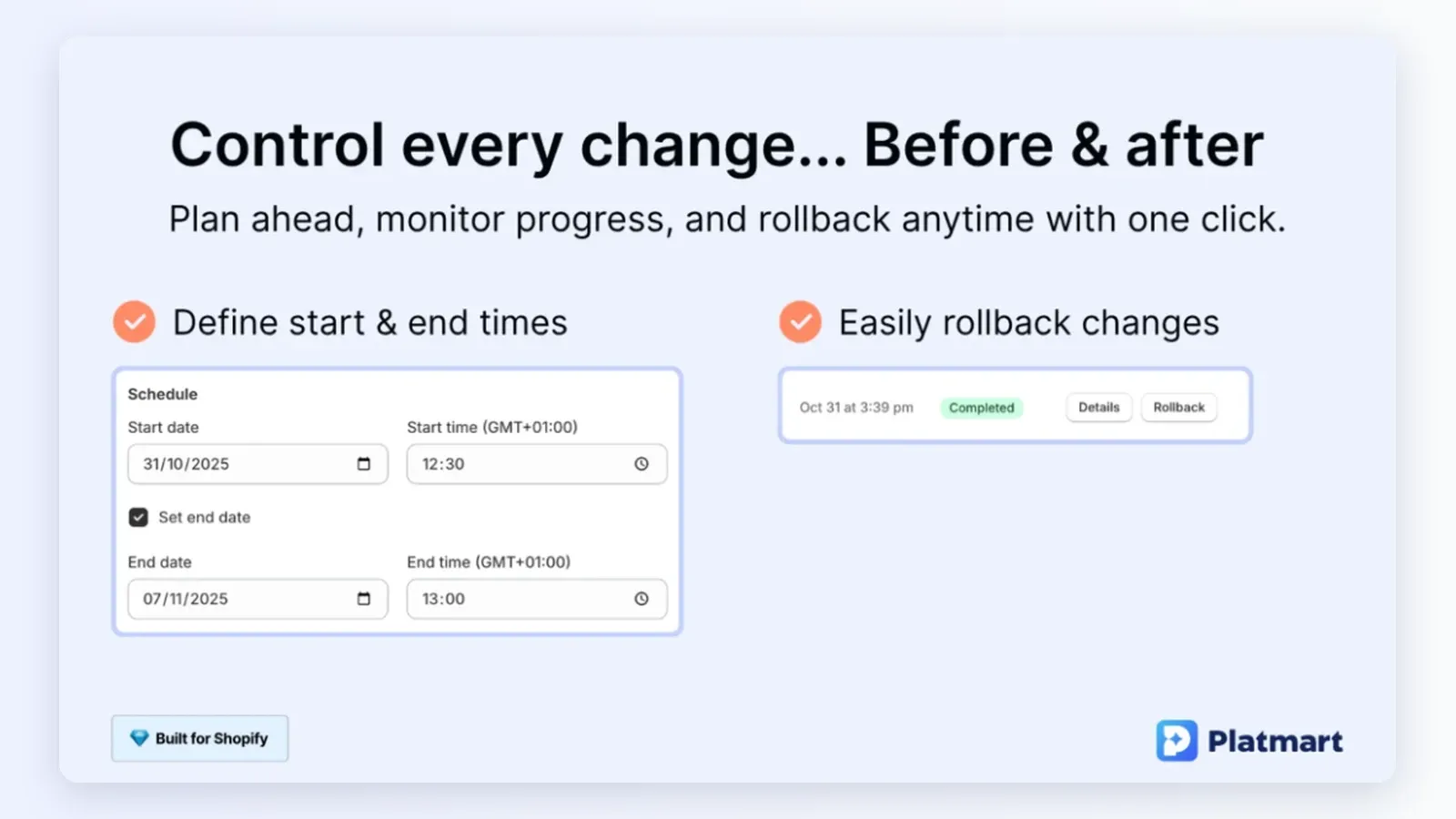
Platmart edits only price, compare-at price and cost. It lists percent or amount changes, rounding (“Override cents”, “Set price ending” such as *.99), scheduled sales that restore recorded prices when they end, Rollback for any completed task while installed, and “Preview changes” before a new task or sale. Market prices, cost and margin are on Advanced ($24.99/mo) and up. It rates 4.8 from 87 reviews. Plans: Free, Basic $14.99/mo (25,000 products per task), Advanced $24.99/mo (75,000), Premium $39.99/mo (150,000), as of Nov 2026, per its App Store listing.

V3 platmart ui schedule rollback

Platmart Bulk Price Editor schedule and rollback, from its App Store gallery, Nov 2026

Which tool to use for which job

Match the tool to the job; the cheapest tool that states your feature is usually enough.

  • A few exact, permanent prices: Shopify’s bulk editor, already in your admin.
  • Percent changes and rounding: any of the dedicated apps above. Guides: increase prices by percentage and shopify round prices.
  • Timed sales that restore prices: Platmart from Basic ($14.99/mo, 25,000 products per task), Ablestar from Basic ($30/mo), Hextom from Professional ($19.99/mo, 5,000 per task). See shopify schedule sale.
  • Market prices: Ablestar, Hextom and Matrixify list them; Platmart on Advanced and up. Guide: shopify markets pricing.
  • Tags, SEO, inventory, metafields: Hextom (from $9.99/mo) or Ablestar (from $30/mo). Price-only apps don’t edit those fields.
  • Spreadsheets, migrations, huge files: Matrixify (files up to 20 GB).

Every plan side by side is on shopify bulk price editor pricing, and all price apps, including NA Bulk Price Editor and SA Bulk Product Editor, are compared on the shopify bulk price editor page.

Tools that can do this

AppGood at for this jobEntry price (as of Nov 2026)Link
Ablestar Bulk Product EditorEvery price feature plus nearly every product fieldFree Starter; $30/moApp Store
Hextom: Bulk Product EditCheapest all-field editor, backups for revertFree Demo; $9.99/moApp Store
MatrixifySpreadsheet import/export, huge filesFree Demo; $20 per 30 daysApp Store
Platmart Bulk Price EditorPrice-only: % changes, sales that restore, rollbackFree; $14.99/moSee plans

FAQ

  • How do I bulk edit products in Shopify?

    Select the products on the Products page and open them in the bulk editor. Add the columns you need from the Columns menu, edit cells (several at once or with the fill handle), and click Save. For very large edits, Shopify recommends exporting a product CSV, editing it in a spreadsheet and importing it with the overwrite option.

  • Can I bulk edit prices in Shopify's bulk editor?

    Yes. Price and compare-at price are standard columns, so you can change many products and variants in one save. You type each new value or copy it with the fill handle. Shopify’s help page doesn’t mention formulas or percentage changes, so every price is a fixed number you enter yourself.

  • Can the Shopify bulk editor change prices by a percentage?

    Not according to Shopify’s help pages, which mention no percentage or formula option. You can calculate prices in a spreadsheet and import a CSV, or use an app: Ablestar, Hextom, NA Bulk Price Editor and SA Bulk Product Editor all list percentage changes. The guide on how to increase prices by percentage shows both routes.

  • How do I bulk edit compare at prices in Shopify?

    Add the Compare-at price column in the bulk editor, enter the original prices, and set Price to the lower sale price. Shopify shows a sale only when compare-at is higher than price. Price apps can fill compare-at with the old price when a sale starts. See shopify compare at price.

  • How do I remove compare at prices in bulk?

    Clear the Compare-at price cells in the bulk editor, then save. Shopify’s help says 0.00 isn’t the same as an empty field, so delete the value rather than typing zero. In a CSV, a blank cell overwrites the value with a blank. Most price apps also have a reset or remove action for compare-at.

  • Can I schedule bulk edits in Shopify?

    Shopify’s help pages for the bulk editor and sale pricing mention no scheduling. To change prices at a set date and time, you need an app or a scheduled import. Ablestar, Hextom (Professional+) and SA Bulk Product Editor (Basic+) list scheduled sales that revert; Matrixify schedules imports. Guide: shopify schedule sale.

  • Can I undo a bulk edit in Shopify?

    Shopify’s bulk editing help page doesn’t mention an undo. Before a big edit, export a product CSV so you can re-import the old values. Apps keep backups for you: Hextom keeps 30–180-day backups, Ablestar has one-click undo, and Platmart rolls back any completed task while installed. See undo bulk edit.

  • How many products can I bulk edit at once in Shopify?

    Shopify’s help page gives no fixed limit for the bulk editor; it says larger edits take longer, and it recommends CSV import for big catalogs. Apps state their caps: Hextom allows 50,000 products per task on Advanced, SA Bulk Product Editor and Ablestar allow unlimited products per task on their higher plans.

  • Why does the Shopify bulk editor give errors in Microsoft Edge?

    Shopify’s help page says Microsoft Edge can cause errors in the bulk editor because of URL length limits. Large selections make the URL longer. Switching to another browser, or editing in smaller batches, avoids the problem. For very large jobs, CSV import or an app is the more reliable route.

  • How do I bulk edit variants in Shopify?

    Variants appear as their own rows in the bulk editor, so you can edit each variant’s price and compare-at price in the grid. For hundreds of variants with different prices, a CSV is faster. Some apps can take per-variant sale prices from a file and restore them after the sale. See shopify bulk edit variants.

  • Can I bulk edit inventory in the Shopify bulk editor?

    For products with several variants, Shopify’s help says inventory is bulk edited only from the Inventory section, not from the product bulk editor. Price and compare-at editing in the grid isn’t affected. If you need inventory and other fields together, Hextom and Ablestar list inventory among their editable fields.

  • How do I bulk edit prices with a CSV file?

    Export your products to CSV, change the Price, Compare-at price or Cost per item columns, and import the file with the overwrite option. Shopify matches products by handle. Keep only the columns you’re changing, because blank cells overwrite values with blanks while omitted columns stay as they are.

  • Can I bulk edit Shopify Markets prices?

    Shopify’s bulk editor help doesn’t mention market prices, but the product CSV has “Price / [Market]” and “Compare At Price / [Market]” columns for markets with one unshared catalog. Ablestar, Hextom, NA Bulk Price Editor and Platmart (Advanced+, one currency per task) edit them in the app. Guide: shopify markets pricing.

  • Is the Shopify bulk editor free?

    Yes. The bulk editor and product CSV import are part of Shopify admin at no extra cost. Apps charge for the extras: NA Bulk Price Editor from $9.95/mo, Hextom from $9.99/mo and Ablestar from $30/mo, and most have a limited free plan (as of Nov 2026).

  • Which bulk edit app should I use?

    Pick by the job. For tags, SEO, inventory and metafields, use an all-field editor such as Hextom or Ablestar. For spreadsheet work and migrations, use Matrixify. For price-only jobs such as timed sales that restore prices, a price editor such as Platmart or NA Bulk Price Editor costs less for the same price features.

Top pick for price-only jobs: Platmart Bulk Price Editor · free planTry Free

Ask AI about this page

II

Ivan Ivanov

Shopify pricing writer

I compare Shopify pricing apps using their own App Store listings, docs and changelogs. Every price and limit on this site carries the date it was checked.

Popup manager v2

Changing thousands of Shopify prices?

Our top pick for price-only jobs is Platmart Bulk Price Editor: scheduled sales that restore prices, compare-at strikethrough and rollback.

Free plan · paid from $14.99/mo (Nov 2026).

See all apps compared