Logo bulkpriceeditors

Shopify Black Friday Sale: A Pricing Checklist for Before, During and After BFCM

Shopify Black Friday sale pricing checklist: what to do weeks before, the day before, during BFCM and after, with scheduled sales that restore prices.

Updated November 27, 2026 · by Ivan Ivanov

Some links on this page are affiliate links. App facts are checked against each vendor’s own listing and docs.

Quick answer

A Shopify Black Friday sale goes smoothly when prices are decided 2–3 weeks ahead, tested the week before, frozen the day before, left alone during BFCM, and checked after.

  • Black Friday is the day after US Thanksgiving (the fourth Thursday of November). In 2027 that’s Friday, Nov 26, with Cyber Monday on Nov 29.
  • Shopify’s bulk editor and sale pricing have no schedule or automatic end, so timed sales need an app.
  • On Shopify Basic and Grow, one bulk price app’s FAQ lists about 400 product updates a minute, so 25,000 products take roughly an hour.
  • Codes stack on sale prices unless you block them before the sale starts.

Top pick for price-only BFCM sales: Platmart Bulk Price Editor (scheduled sales that restore prices, compare-at, Markets, code blocking; free plan, paid from $14.99/mo, as of Nov 2026).

See Platmart Bulk Price Editor →

If you also need recurring weekly sales or 50+ product fields, SA Bulk Product Editor & Price fits better (scheduling from $9.90/mo).

2–3 weeks before Black Friday

Two to three weeks out, decide what goes on sale, at what discount, and with which tool.

  1. Pick discount levels. Group products into a few levels (for example 15%, 25%, 40%) and give each level its own collection or tag. One level becomes one sale.
  2. Keep each product in one sale. Plan for one active sale per product; in Platmart, for example, a later sale skips a product that’s already in an active one. Ten percent plus ten percent is one sale at 19%.
  3. Check margins. At a 50% margin, 25% off needs twice the units to earn the same profit. Some apps export a margin report (Platmart’s Tools > Margin report, for example); otherwise export cost per item from Shopify’s product CSV.
  4. Find existing markdowns. Products that already have compare-at above price get discounted twice if you don’t exclude or restore them first.
  5. Fix base prices now, not on the day. If some prices are too low, raise them permanently weeks ahead, so the “was” price is a real price.
  6. Check plan limits. Look at products per sale, sales per month and whether scheduling is on your plan. Side by side: Shopify bulk price editor pricing.
  7. Decide on codes. Will discount codes stack on sale items? If not, plan to block them; the trade-offs are in Shopify automatic discount.

The week before

The week before, run a test sale, then build and schedule the real ones.

  1. Run a test sale on two or three slow sellers. Check the storefront, end it early, and confirm prices return.
  2. Create one sale per discount level, as a percent decrease.
  3. Set compare-at to the pre-sale price so themes cross out the old price (how the display works: Shopify compare at price). For items with MSRP in compare-at, take the discount off compare-at instead, if your app supports it.
  4. Pick rounding now. Many apps lock rounding once a sale starts.
  5. Choose products and exclusions: products already on sale, sold-out variants and gift cards.
  6. Block codes if you decided to. Some apps only accept this before the start.
  7. Markets: if you sell in other currencies, check that the app edits market prices. See Shopify Markets pricing.
  8. Schedule with time to spare. Start early enough for every price to update before you announce it. Set an end time after Cyber Monday, or create a separate Cyber Monday sale.
  9. Preview, then schedule.

The faster way: a bulk price app

A scheduled sale app does all of the week-before steps in one form and restores prices on its own at the end.

The generic flow: create a sale, pick a percent decrease, set compare-at to the old price, choose products and exclusions, set start and end times, preview, schedule. In Platmart Bulk Price Editor, for example, per its docs:

  1. Sales > Create sale, keep Price rules and Product prices, choose Decrease by percent.
  2. Under Compare at price, choose “Set to old price (discount)”. For MSRP items, set Relative to to Compare at price; the option becomes “Set to full price”.
  3. Pick rounding (“Override cents” or “Set price ending”).
  4. Under Exclude, add “Products on sale”, “Sold-out products and variants”, and keep “Gift cards” checked.
  5. Optional: in Discount codes, turn on “Block discount codes when the cart has items from this sale”.
  6. Under Schedule, set the start, turn on Set end date, and set the end (store timezone).
  7. Preview changes (valid 30 minutes), then Schedule sale.
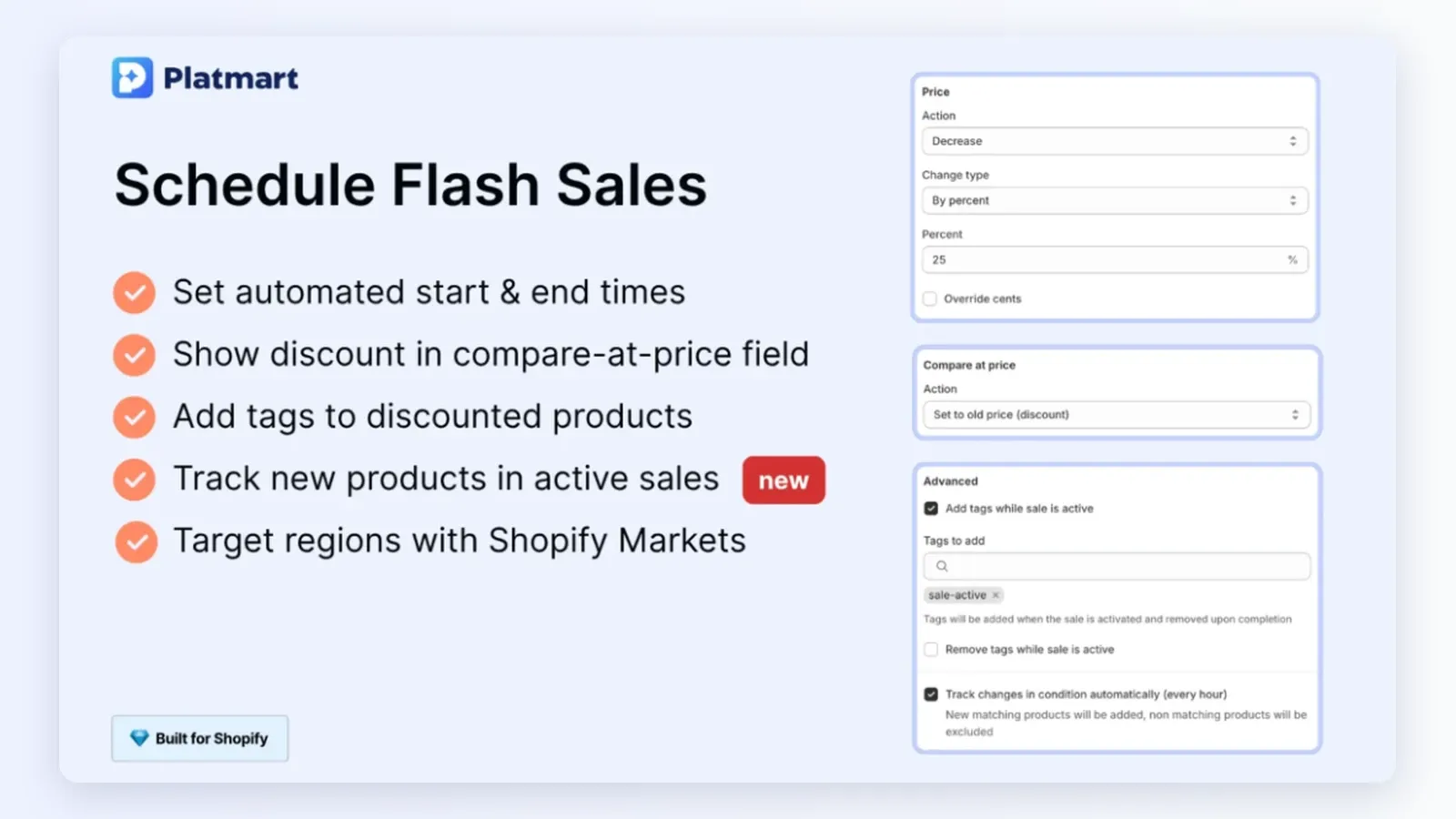
V3 platmart ui schedule sale

Platmart Bulk Price Editor sale form, from its Shopify App Store gallery, Nov 2026

Scheduled sales start on Platmart’s Basic plan ($14.99/mo); Free has 2 sales a month with 100 products each. Other apps list scheduled sales with automatic revert too: SA Bulk Product Editor & Price (Basic, $9.90/mo), Hextom Bulk Product Edit (Professional, $19.99/mo), Ablestar (Basic, $30/mo) and GetSale (on its free plan, 75 variants). NA Bulk Price Editor schedules and reverts price jobs. Prices as of Nov 2026; see the Shopify sale app comparison.

The day before

The day before, freeze the catalog and read every scheduled sale once more.

  1. Read each sale: discount, compare-at, rounding, exclusions, start and end times. Before a sale starts, most apps let you edit everything.
  2. Add late products now. Products added after the start usually don’t join a running sale. Platmart’s Premium tracks condition changes every hour; on its other plans, Actions > “Check changes” rechecks.
  3. Check drafts. Some apps change active products only by default. Products you’ll publish on the day may need a setting changed.
  4. Pause other price writers. Feeds, repricers and sync apps that write prices can undo sale prices.
  5. Keep the sale app installed until every sale ends. Uninstalling usually doesn’t restore prices.

During BFCM

During the sale, verify once at launch, then leave prices alone.

  1. At launch, confirm the sale is active, then open a few products in a private window: sale price, crossed-out price, badge and code behavior. Only then send emails and turn on banners.
  2. Don’t edit sale prices by hand. Apps restore the prices they recorded before the sale, so manual edits made during BFCM are overwritten.
  3. Know what’s locked. In Platmart, for example, products, exclusions and the end date of an active sale can be edited; the discount, rounding, start time, markets and tags can’t.
  4. To change the discount mid-sale, end the sale (prices restore), duplicate it, adjust the copy and start it.
  5. Extending into Cyber Monday? Edit the end date and time if your app allows it on a running sale.

After Black Friday

After the sale, confirm prices came back and clean up.

  1. Check that prices restored on a sample of products, including compare-at. If some didn’t, see why products aren’t discounted in a Shopify sale for the usual causes.
  2. Remove banners, timers and code campaigns that promote the sale.
  3. Undo any lasting BFCM edits. Permanent changes made with a bulk task can be rolled back in apps that keep backups. More in undo bulk edit.
  4. Measure profit per discount level against a normal week. Export any app reports quickly; Platmart, for example, deletes reports after about a day.
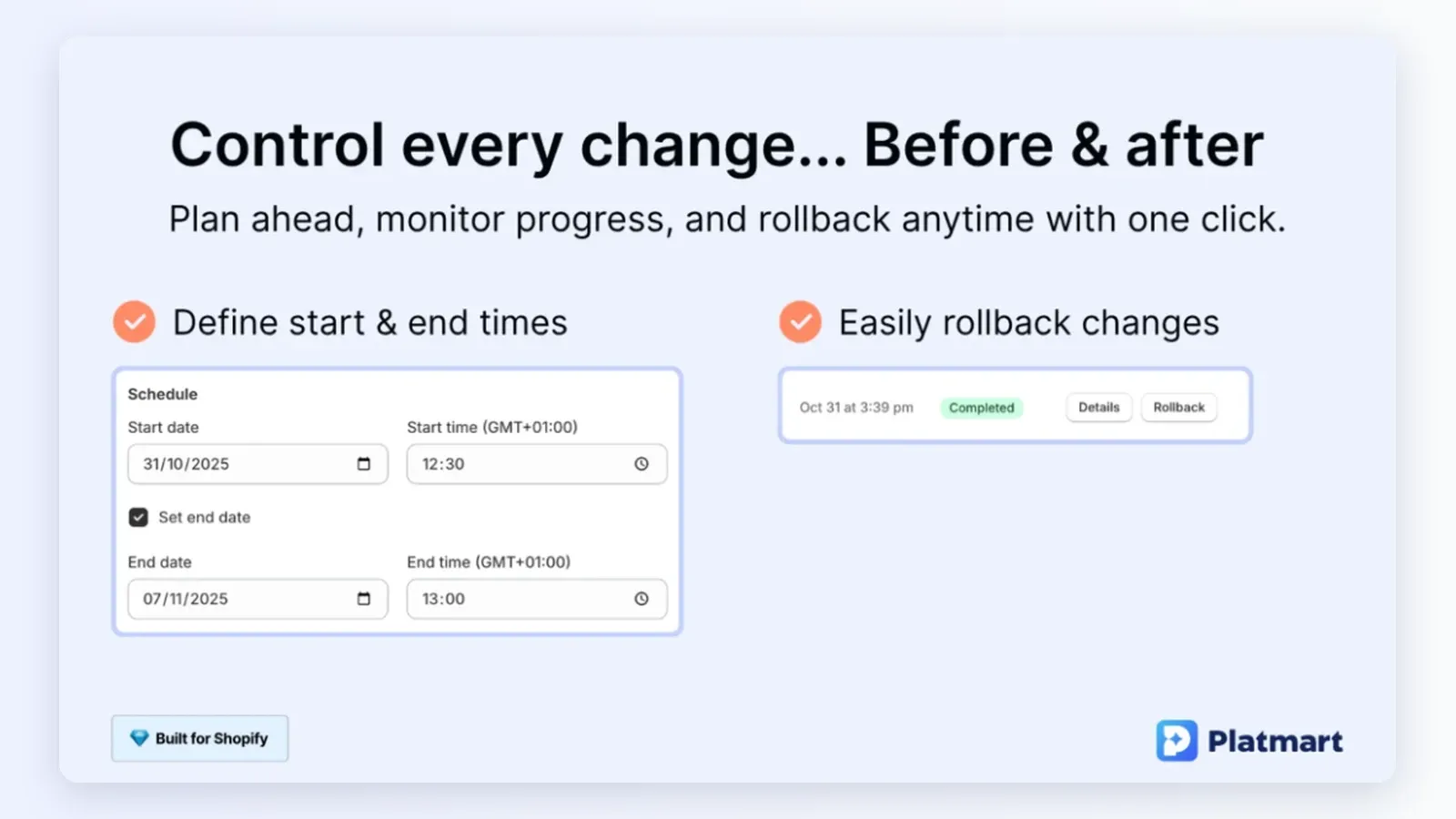
V3 platmart ui schedule rollback

Platmart Bulk Price Editor schedule and rollback, from its Shopify App Store gallery, Nov 2026

Common BFCM pricing failures

Most Black Friday pricing problems come from the same handful of causes.

  • Some products missing from the sale. They were in another active sale, were drafts, were sold out or already on sale, or were added after the start.
  • Not all sizes discounted. An “exclude discounted variants” option skipped variants that already had compare-at above price.
  • Old price not crossed out. Compare-at wasn’t set above the sale price.
  • Codes stacking on sale prices. The block wasn’t set before the start.
  • Another app reset the prices. Pause it, or use an app that re-applies sale prices (Platmart Premium does this hourly, up to 10,000 price changes per sale).
  • Sale started late on a big catalog. Price updates run at Shopify’s API speed, so start earlier.
  • Hand edits lost after the sale. The restore overwrote them. Make lasting changes after the sale.
  • Prices stuck after uninstall. End sales first, then uninstall.

Tools that can do this

AppGood at for this jobEntry price (as of Nov 2026)Link
GetSale Bulk Discounts & SalesScheduled sales with compare-at that revert, plus timers and banners; code blocking on UnlimitedFree (75 variants, 3 campaigns)App Store
Hextom: Bulk Product EditScheduled tasks that auto-revert, plus every other product fieldScheduling from Professional $19.99/moApp Store
NA Bulk Price EditorScheduled price jobs with revert, code blocking, Markets; billed by price changesFree (100 price changes/mo); Basic $9.95/moApp Store
Platmart Bulk Price EditorScheduled sales that restore prices, preview, exclusions, code blocking on every planFree (2 sales/mo); scheduled sales from Basic $14.99/moSee the app
SA Bulk Product Editor & PriceScheduled sales with auto-revert, recurring sales, 50+ fieldsFree (no scheduling); Basic $9.90/moApp Store
App card sa

Platmart

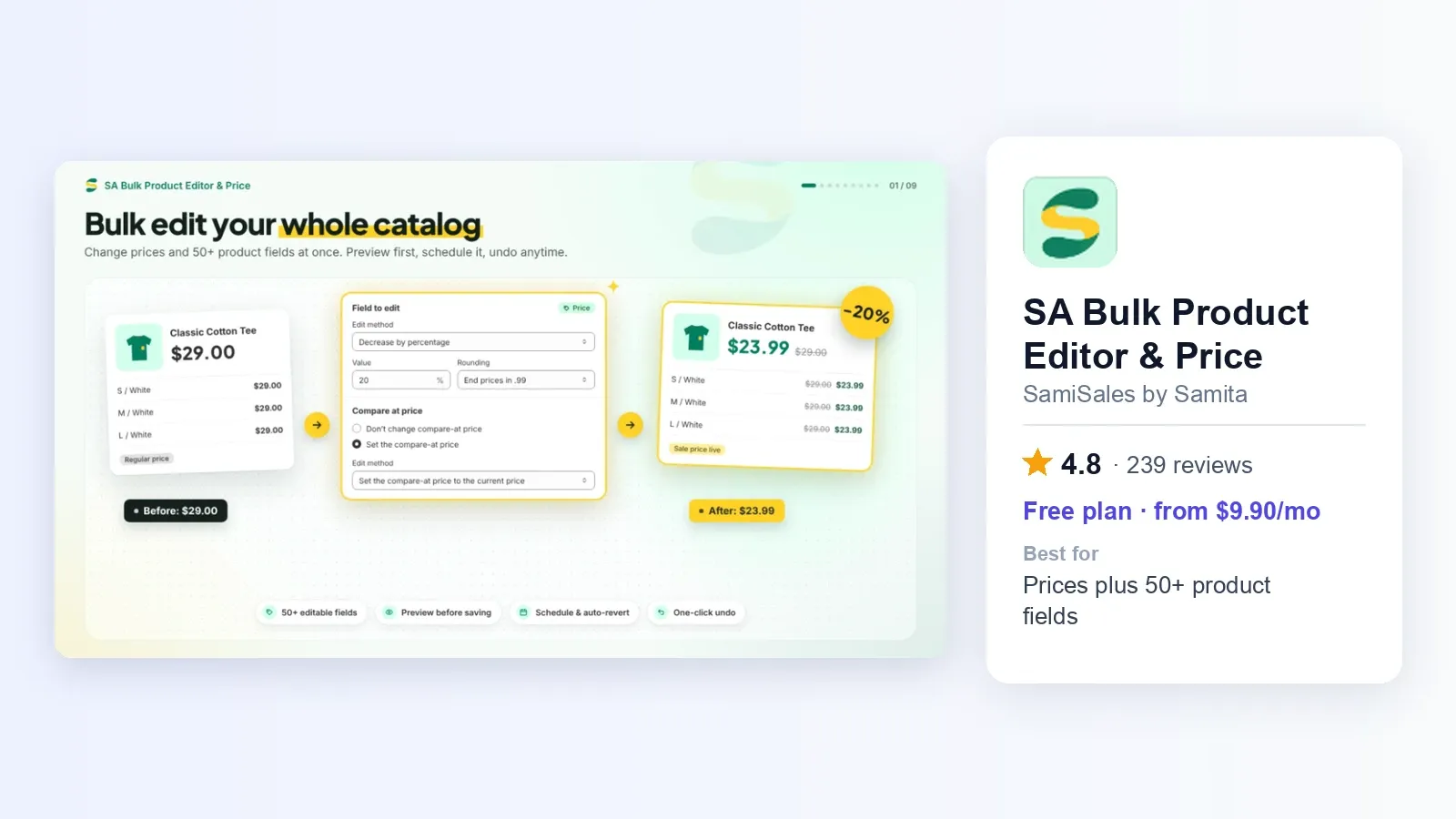
SA Bulk Product Editor & Price app card with its rating and starting p

FAQ

  • What's the best Shopify Black Friday app for pricing?

    It depends on the job. For price-only sales that start and end on schedule, apps such as Platmart, NA Bulk Price Editor and SA Bulk Product Editor schedule sales and restore prices. For timers and quantity breaks on top, GetSale adds storefront widgets. Compare them in the Shopify sale app roundup.

  • When should I set up my Shopify Black Friday sale?

    Decide prices 2–3 weeks ahead, build and schedule the sales the week before, and freeze the catalog the day before. Black Friday is the day after US Thanksgiving; for BFCM 2027, Black Friday falls on Nov 26, so aim to settle prices by early November.

  • When is Cyber Monday?

    Cyber Monday is the Monday after Black Friday, so it always comes three days later. In 2027, Black Friday is Nov 26 and Cyber Monday is Nov 29. Many stores run one sale across the whole weekend, or a separate Cyber Monday sale with its own discount.

  • Should I use a sale price or a discount code for Black Friday?

    Use a sale price with compare-at for the main offer, because shoppers see the crossed-out price on collection and product pages. Codes only show at checkout. Keep codes for targeted offers and decide whether they may stack. Comparison: Shopify automatic discount.

  • How do I stop discount codes working on Black Friday sale items?

    Either restrict each code to full-price collections in Shopify’s Discounts, or use a sale app that blocks codes on carts with sale items. NA Bulk Price Editor blocks codes on the whole cart, GetSale lists it on Unlimited, and the tools table shows others. Set it before the sale starts.

  • How long does it take to put my whole store on sale?

    It depends on your Shopify plan, because apps update prices through Shopify’s API. One bulk price app’s FAQ lists about 400 products a minute on Basic and Grow, 1,000 on Shopify Advanced and 5,000 on Plus. A 10,000-product store on Basic needs roughly 25 minutes, so start before you announce.

  • Can I run one sale from Black Friday through Cyber Monday?

    Yes. Set the start on Black Friday and the end after Cyber Monday, or run a separate Cyber Monday sale. Some apps let you edit the end date of a running sale, so you can extend it. Steps: Shopify schedule sale.

  • Can I change the discount during Black Friday?

    Usually not on a running sale; apps tend to lock the discount once it starts. End the sale, which restores prices, then duplicate it, change the discount and start the copy. Products and the end date are often still editable without that.

  • Will new products I add on Black Friday get the discount?

    Not automatically in most apps. Platmart’s Premium adds new matching products to a running sale every hour; elsewhere, recheck or restart the sale. Shopify’s own sale pricing has no sale to join, so you’d set the new product’s price and compare-at by hand. Add products before the start when you can.

  • Do prices go back automatically after Cyber Monday?

    Only if your sale tool restores them. Apps with scheduled sales put back the prices they recorded before the sale at the end time, including compare-at, and overwrite manual edits made during the sale. Prices you set by hand in Shopify stay until you change them back.

Top pick for price-only jobs: Platmart Bulk Price Editor · free planTry Free

Ask AI about this page

II

Ivan Ivanov

Shopify pricing writer

I compare Shopify pricing apps using their own App Store listings, docs and changelogs. Every price and limit on this site carries the date it was checked.

Popup manager v2

Changing thousands of Shopify prices?

Our top pick for price-only jobs is Platmart Bulk Price Editor: scheduled sales that restore prices, compare-at strikethrough and rollback.

Free plan · paid from $14.99/mo (Nov 2026).

See all apps compared