Logo bulkpriceeditors

Shopify Markup and Margin: How to Price From Cost per Item

Shopify markup vs margin with formulas and a worked table, the cost per item field, and how to set prices from cost in bulk with a target margin. Nov 2026.

Updated November 27, 2026 · by Ivan Ivanov

Some links on this page are affiliate links. App facts are checked against each vendor’s own listing and docs.

Quick answer

Markup is profit as a percent of cost; margin is profit as a percent of price. On Shopify, both start from each product’s cost per item, so products need a cost before you can price from it.

  • Markup = (price − cost) ÷ cost: 50% markup on a $10 cost = $15.
  • Margin = (price − cost) ÷ price: 50% margin on a $10 cost = $20.
  • Shopify’s bulk editor help page doesn’t mention cost per item; it’s a product CSV column, and Shopify documents no price-from-cost action.
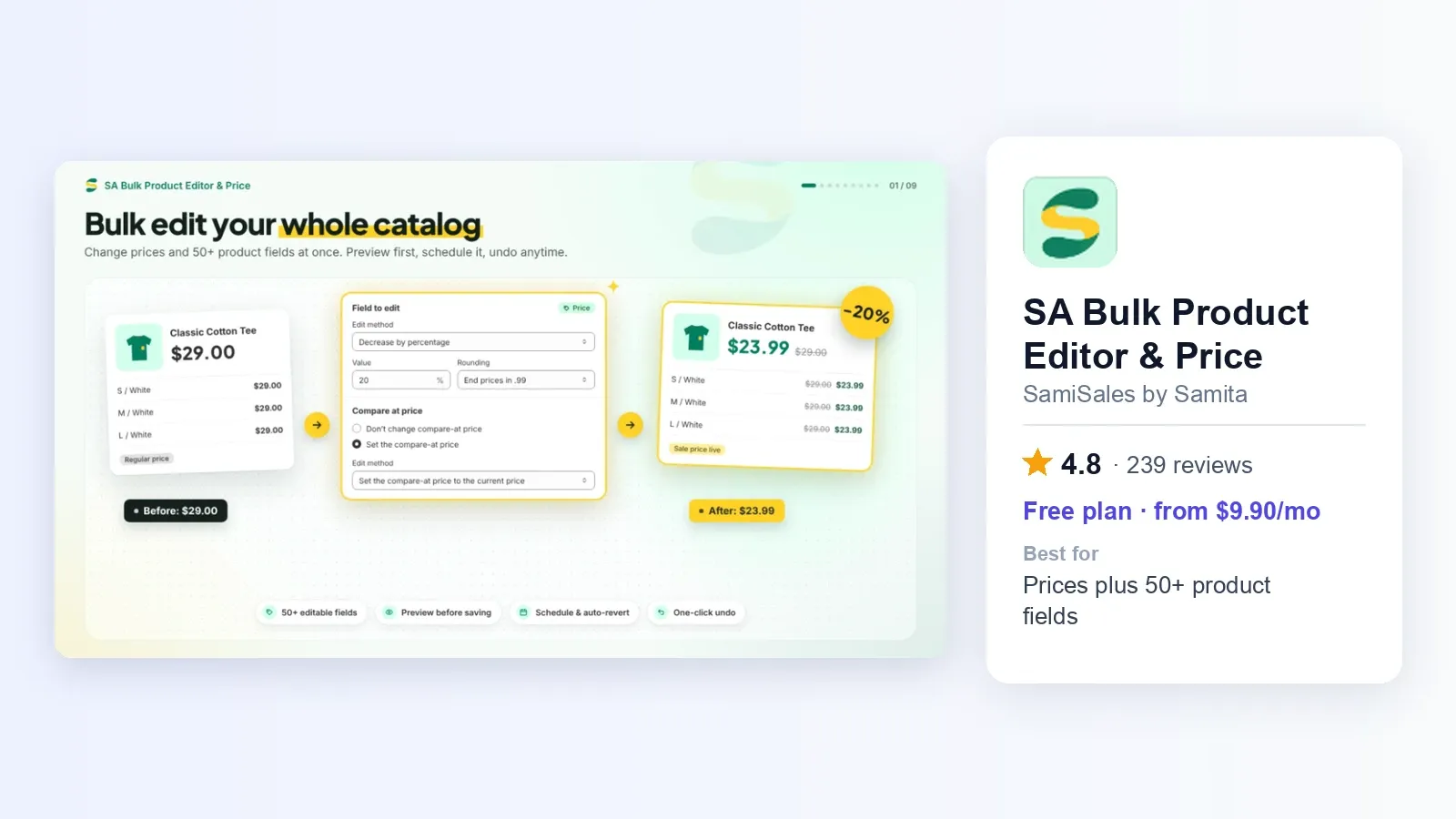
  • Apps that price from cost include SA Bulk Product Editor & Price (cost plus %, from $9.90/mo), NA Bulk Price Editor (cost/margin), Ablestar and Platmart Bulk Price Editor (target margin, from $24.99/mo). Prices as of Nov 2026.

If your supplier costs and new prices already live in a spreadsheet, a CSV import fits better than any app.

Markup vs margin: formulas and a worked table

Markup divides profit by cost; margin divides profit by price, so the same price gives a bigger markup than margin.

  • Markup % = (price − cost) ÷ cost × 100. Price = cost × (1 + markup).
  • Margin % = (price − cost) ÷ price × 100. Price = cost ÷ (1 − margin).
  • Convert: margin = markup ÷ (1 + markup); markup = margin ÷ (1 − margin).

Plain arithmetic on a $10.00 cost:

CostMarkupPriceMargin
$10.0025%$12.5020%
$10.0050%$15.0033.3%
$10.0066.7%$16.6740%
$10.00100%$20.0050%
$10.00150%$25.0060%

Markup can go past 100%; margin can’t reach 100%. A “40%” target means $14.00 as markup but $16.67 as margin, so name which one you mean.

Shopify’s cost per item field

Cost per item is what you paid for a product, kept in its own field separate from the selling price.

In Shopify’s product CSV it’s the Cost per item column, alongside Price and Compare-at price. Shopify’s bulk editing help page doesn’t mention it. In a CSV import with overwrite, blank cells overwrite values with blanks, so an empty Cost per item cell can wipe a cost you had.

The built-in Shopify way

Shopify has no documented price-from-cost action, so the built-in route is a spreadsheet.

  1. Export products to CSV and keep an untouched copy.
  2. Add a formula: Price = Cost per item × (1 + markup), or Cost per item ÷ (1 − margin).
  3. Round the results, check rows with no cost, then import with overwrite.

Sources: Shopify CSV import, bulk editing.

The faster way: a bulk price app

A bulk price app with cost support prices every selected product from its own cost per item, in one pass, and logs the change.

The generic flow: pick a price action based on cost (markup or target margin), add rounding, choose products, preview, run. What each app states (Nov 2026):

  • SA Bulk Product Editor & Price: price as a percent of cost or cost plus a percent; cost can be edited (docs). Free up to 100 products per task.
  • NA Bulk Price Editor: sets prices “by unit cost/margin” (listing).
  • Ablestar Bulk Product Editor: edits costs; its guides cover “prices from cost”.
  • Bulk Price Editor Pro: edits cost price and does markup; margin pricing not stated.
  • Platmart Bulk Price Editor: “Set margin” plus markup relative to Cost per item, on Advanced ($24.99/mo) and up, and on Free within its limits.

In Platmart Bulk Price Editor, for example, per its margin and markup docs:

  1. Click Create task and keep Product prices.
  2. Under Price, choose Set margin and enter the target margin. For markup, choose Increase price, by percent or amount, with Relative to = Cost per item.
  3. Optional: add a compare-at action (it can be relative to Cost per item) and rounding.
  4. Under Apply to, choose the store, collections, products, variants or tags.
  5. Click Preview changes, then Start task.
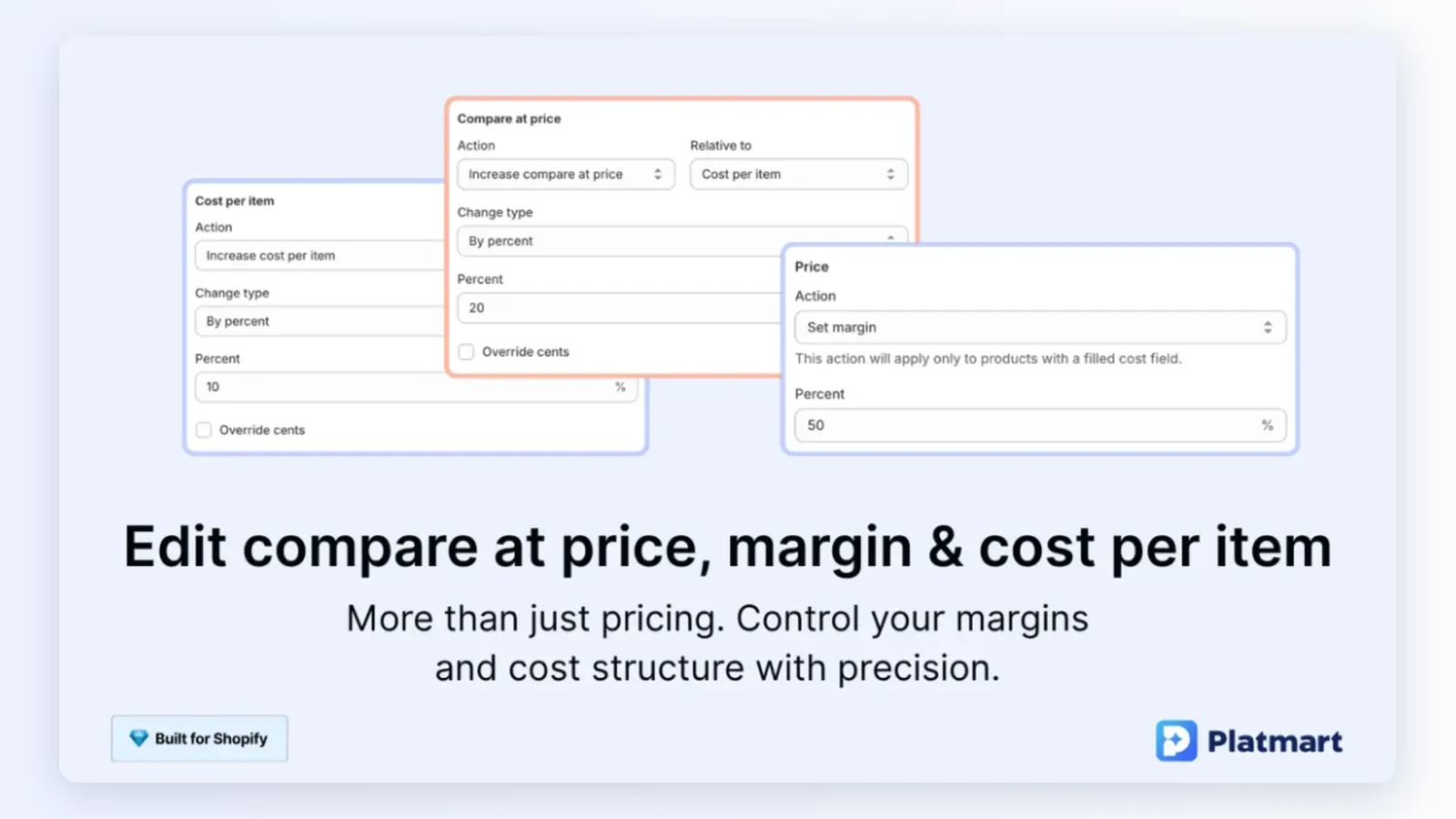
V3 platmart ui compare at margin cost

Platmart Bulk Price Editor compare

at, cost and margin settings, from its Shopify App Store gallery, Nov 2026

Plans side by side: Shopify bulk price editor pricing.

Target margin or markup: which to use

Use a target margin when you think in margin; use markup when a supplier or plan says “cost plus X%”.

On a $12.00 cost, plain arithmetic with the standard formulas:

  • 40% margin: $12.00 ÷ 0.60 = $20.00.
  • 40% markup: $12.00 × 1.40 = $16.80.
  • $5 markup: $17.00.

Same “40”, a $3.20 gap. Preview the results in your tool before running. To raise current prices instead of pricing from cost, see how to raise prices on Shopify.

Products without a cost

A product with no cost per item can’t be priced from cost, so check for blanks first.

In a spreadsheet, a blank cost gives a $0 price unless you filter those rows out. Apps handle it differently; Platmart’s docs, for example, say margin and markup actions skip products without a cost, so they keep their price, and blanks must be filled with Set new cost per item (Increase or Decrease can’t fill an empty cost).

How long cost-based edits take

Bulk apps update prices through Shopify’s API, so speed depends on your Shopify plan.

Platmart’s FAQ, for example, lists about 400 products per minute on Basic or Grow, 1,000 on Shopify Advanced and 5,000 on Plus, with cost or margin tasks taking about twice as long. By that math, 4,000 products on Shopify Basic take roughly 10 minutes as a price task and 20 as a margin task. SA’s docs say most tasks finish within a few minutes.

Common mistakes

  • Mixing up markup and margin. 40% markup is a 28.6% margin.
  • Blank costs. Fill them first, or those products are skipped or mispriced.
  • Wiping costs by CSV. Blank Cost per item cells overwrite values with blanks.
  • Pricing from cost during a sale. A sale app’s end restores pre-sale prices over your edit; time it after the sale (see Shopify sale).
  • Odd cents. $16.67 isn’t a shelf price; add rounding (see Shopify round prices).

Tools that can do this

AppGood at for this jobEntry price (as of Nov 2026)Link
Ablestar Bulk Product EditorPrices from cost, cost edits, rounding, plus nearly every other fieldFree (10 products/edit); Basic $30/moApp Store
NA Bulk Price EditorPrices by unit cost/margin, revertFree (100 price changes/mo); Basic $9.95/moApp Store
Platmart Bulk Price Editor"Set margin" and markup from cost, bulk cost edits, margin report, rollbackFree (100 products); cost/margin from Advanced $24.99/moSee the app
SA Bulk Product Editor & PricePercent of cost or cost plus %, cost edits, preview, undoFree (100 products/task); Basic $9.90/moApp Store
App card sa

Platmart

SA Bulk Product Editor & Price app card with its rating and starting p

FAQ

  • What is markup on Shopify?

    Markup is how much you add on top of a product’s cost, as a percent of that cost: (price − cost) ÷ cost. A $10 item priced at $15 has a 50% markup. Shopify keeps the cost in the cost per item field, and apps can price from it.

  • What's the difference between markup and margin?

    Markup measures profit against cost; margin measures it against price. On a $10 cost and $15 price, markup is 50% and margin is 33.3%. Margin can never reach 100%, while markup can go past it, so a “40%” target gives different prices.

  • What markup do I need for a 50% margin?

    A 100% markup. Use markup = margin ÷ (1 − margin): 0.50 ÷ 0.50 = 1.00. On a $10 cost, both give a $20 price. For a 40% margin you need about 66.7% markup, or $16.67 on the same cost.

  • How do I set prices from cost in bulk on Shopify?

    Export a product CSV, compute Price from the Cost per item column with a formula, and re-import. Or use an app that prices from cost: SA (cost plus %), NA (cost/margin) or Ablestar; the tools table above also lists a target-margin option.

  • How do I add cost per item to many products at once?

    In Shopify, fill the Cost per item column in a product CSV and import with overwrite; blank cells overwrite values with blanks. Apps such as SA, Ablestar and Bulk Price Editor Pro also edit cost in bulk.

  • What happens to products with no cost per item?

    In a spreadsheet, a formula on a blank cost gives $0, so filter those rows out. In Platmart, margin and markup actions skip them, so their prices stay the same; fill missing costs first with “Set new cost per item”, then run the pricing task.

  • Can I use markup pricing in a sale?

    It depends on the app. In Platmart, cost, margin and markup work in tasks on product prices only, not in sales or Market prices mode. For temporary discounts, run a sale; for permanent cost-based prices, run the change after any sale on the same products ends.

  • Can I undo a margin-based price change?

    With a CSV, re-import your untouched export. Apps with undo restore the old prices: SA and Ablestar within their 30 to 180-day history windows, and rollback in others while installed. See how to undo a bulk edit on Shopify.

Top pick for price-only jobs: Platmart Bulk Price Editor · free planTry Free

Ask AI about this page

II

Ivan Ivanov

Shopify pricing writer

I compare Shopify pricing apps using their own App Store listings, docs and changelogs. Every price and limit on this site carries the date it was checked.

Popup manager v2

Changing thousands of Shopify prices?

Our top pick for price-only jobs is Platmart Bulk Price Editor: scheduled sales that restore prices, compare-at strikethrough and rollback.

Free plan · paid from $14.99/mo (Nov 2026).

See all apps compared