Updated November 27, 2026 · by Ivan Ivanov
Some links on this page are affiliate links. Facts are checked against each app’s own listing and docs.
Quick answer
Shopify can’t schedule sale prices by itself: its sale-pricing help mentions no start or end date. To schedule a Shopify sale that ends on its own, use an app that changes prices at the start time and restores them at the end.
- Shopify’s Discounts have active dates, but they apply in the cart, not on the product price.
- Apps that list a scheduled sale with automatic restore: Ablestar, GetSale, Hextom (Professional+), Platmart, SA (Basic+).
- Entry prices for that feature start at $9.90/mo (SA Basic), as of Nov 2026.
Top pick for one-off scheduled sales: Platmart Bulk Price Editor (start and end in one form, prices and compare-at restored, preview of future sales; free plan, paid from $14.99/mo as of Nov 2026).
If the sale must repeat every weekend: GetSale (Unlimited) or SA Bulk Product Editor (Basic and up) list recurring schedules; Platmart doesn’t.
Can Shopify schedule a sale by itself?
No, not for sale prices: Shopify’s sale-pricing help page describes Price and Compare-at price but mentions no scheduling or automatic end.
Without an app, you have three workarounds:
- Edit prices yourself at the start and end, on the product page or in the bulk editor.
- Prepare two product CSVs, one with sale prices and one with regular prices, and import each at the right time.
- Use a discount from Shopify’s Discounts section. It has active dates but applies in the cart and at checkout, so collection pages show no crossed-out price. The trade-offs are in the Shopify automatic discount guide.
A sale scheduler app removes the midnight edits: you set the times once, and the app changes and restores the prices.
The faster way: a bulk price app
A scheduled sale in an app is one form with a discount, a product selection, a start and an end. The steps are similar across apps:
- Create a sale (or campaign) and set the discount, for example 25% off.
- Set compare-at to the old price so the theme crosses it out.
- Pick the products and review exclusions.
- Set the start and end date and time.
- Preview, then schedule.
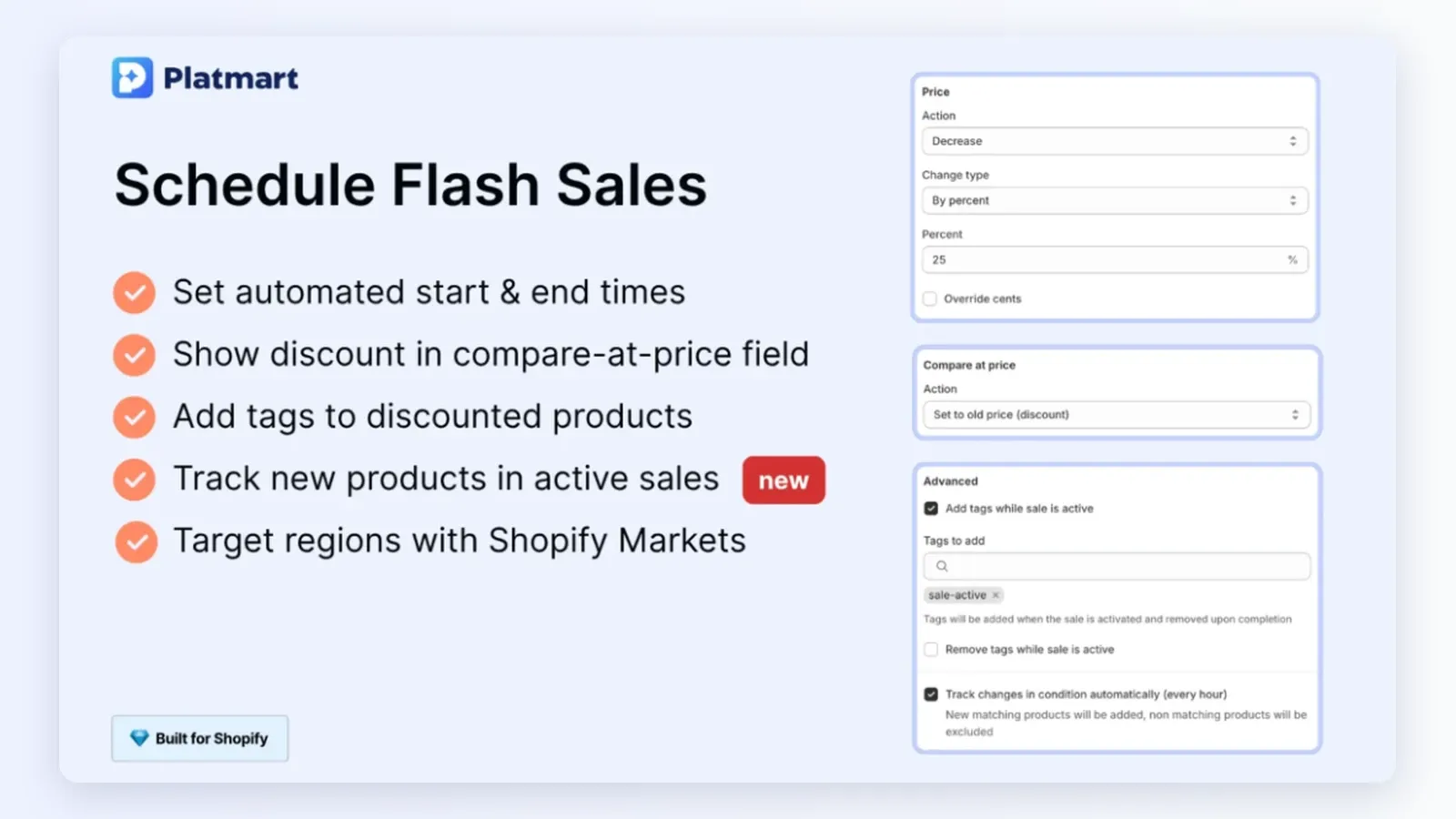
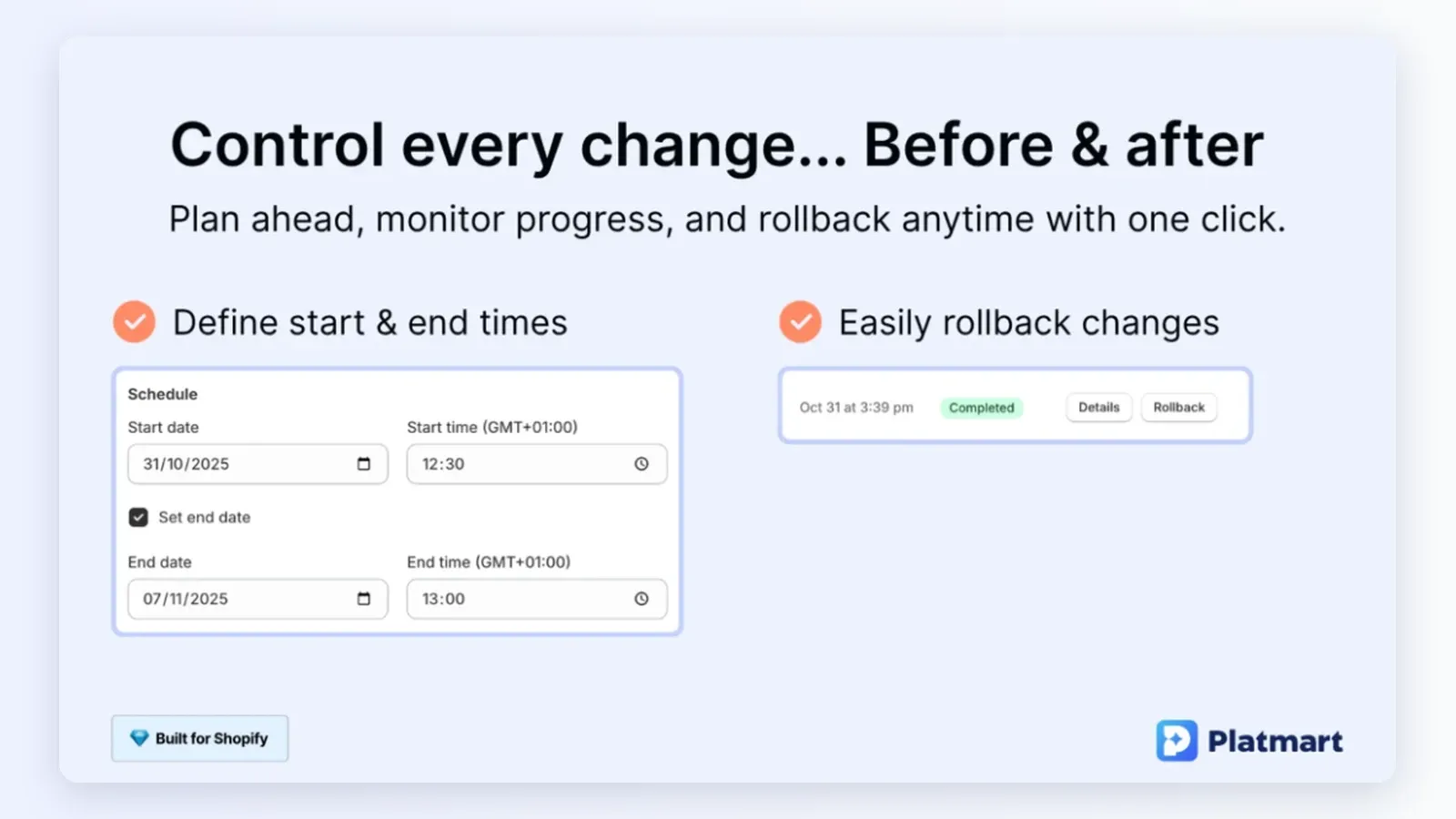
In Platmart Bulk Price Editor, for example, 25% off a collection from Friday to Monday looks like this, per its docs and help center: